
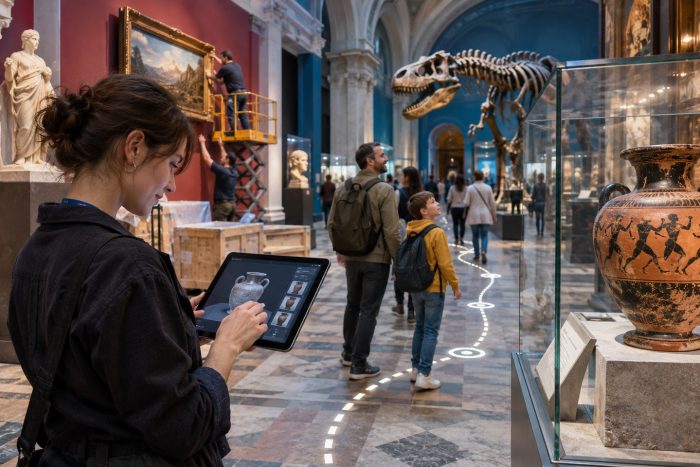
Pro3D for the museum: visitor route, exhibit signatures and exhibition updating
Pro3D for the museum: visitor route, exhibit signatures and exhibition updates Museums and exhibition spaces are faced with the need to expand their audience, preserve fragile exhibits in digital form and provide easy navigation for visitors with different needs. The software development company Pro3D offers a platform where filming, assembly, player and control room are combined into a single system on servers in Russia. This allows the museum to receive not just a set of panoramas, but a working tool: an interactive tour with routes, signatures of exhibits, technical downloads for restorers and the ability to publish without third-party services. Museum tasks that a 3D tour solves A digital copy of the hall fulfills several needs at once. A remote audience studies the exhibition before the visit or after its completion - this is relevant for temporary exhibitions that are being dismantled. Pedagogical programs receive ready-made visual material for lessons and lectures. The museum's internal team records exhibit placement, lighting, and layout for reporting, insurance, or restoration projects. On the website and in social networks, the tour works as content that holds attention longer than static photos, and for partners and sponsors - as a presentation of the site’s capabilities. How data is collected: from phone to professional equipment The Pro3D platform is not tied to one type of hardware. The operator selects a tool for the task and budget: Smartphone with LiDAR (iPhone Pro/Max, modern Android). The PRO3D Capture application guides the operator through points, highlights gaps in the route and uploads images to the server. The phone does not calculate geometry - it only takes pictures, so it does not overheat and does not drain the battery in an hour of operation. Panoramic camera Insta360 X5. Gives high-quality spherical photos for visual movement, but does not measure distances with a laser. Suitable when the main goal is an aesthetic overview of the halls. Professional laser scanning. Used on large sites or when an accurate point cloud is required for design documentation. The scanner measures millions of points per second, forming a metric basis for drawings and BIM. It is important to separate the result: a regular panoramic camera produces a photosphere, a phone’s LiDAR provides depth for building a plan and a “doll’s house,” and a station scanner produces an engineering point cloud. The Pro3D platform accepts data from any source and assembles a single model. What the museum receives as an output: visual model, measurements, technical exports. From one survey, different products are formed that are used by different departments: 3D tour (visual model). Transitions between points, dollhouse view, floor plan, floor navigation. This is what the visitor sees on the website or in VR glasses. Interactive layer. The player contains tags with descriptions of exhibits, photos, videos, audio guides, links to the catalog and route tips. Turns browsing into a structured online tour. Technical downloads for designers and restorers. Package for the designer (6,000 ₽), drawing with a leveled model (9,000 ₽ up to 50 m² and 25 ₽/m² beyond), point cloud in E57 format (10,000 ₽) - prices from the official website for 2025. This data allows you to make evacuation plans, design re-equipment, calculate areas and volumes without re-entering the site. The visual model works for the audience, the measurement data - for engineers, the design result (drawings, BIM materials) - for major repairs and documentation. Pro3D player: publishing, VR, offline and embedding The finished tour opens via a direct link in any browser - on a computer, tablet, smartphone. The viewer does not need a VPN, app installation or registration. The player is built on WebGL and WebXR, therefore: Embedded on the museum website via iframe or oEmbed (supported by WordPress, custom CMS, CIAN/MLS listings). Works in Quest and Vive VR headsets without a separate application - the visitor “walks” through the hall from home. Has an offline version (with the Pro tariff): standalone application for Windows, macOS, Linux. Critical for closed circuits, stands at exhibitions without the Internet, presentations in meeting rooms. All layers added in the office are available in the player: media screens on the walls, tour menu, branding to match the style of the museum, floor plan with transitions. Owner's office: edits without reshoots and access control After publication, the museum does not depend on the contractor for every change. In the platform’s office, the curator independently: Adds and edits tags: text, photos, videos, links to an audio guide or catalog - the price has changed, the exhibit has gone for restoration - editing takes a minute. Configures media screens, menus, starting point, logo and tour description. Controls access: open tour, via link, with a password, or completely closed (for internal reports or closed previews for sponsors). Looks at statistics: how many people opened, from what devices, how much time spent inside. The report for management is provided as a separate link without access to the account. The tour can be transferred to another owner for free - the link is saved, the viewing history is not lost. Organization of filming in a museum environment The process for the specifics of the museum is described on the 3D tour for museums page. The work begins with a brief: type of object, city, area, number of floors, desired timing, publication format. Then the route is agreed upon, taking into account: Zone restrictions (storage facilities, restoration workshops, protected areas). Requirements for the safety of exhibits (no flashes, tripods in the risk zone, excessive light). Working hours: filming is planned early in the morning, late in the evening or on a closed day, so as not to disturb visitors and employees. After scanning, the team checks navigation, quality of transitions, correct display of key areas and prepares the project for placement with the required set of interactive labels and technical exports. Comparison of delivery formats and capabilities Format Viewer access VR support Offline Access levels Content editing Direct link (Pro3D hosting) Browser, any device, no registration Yes (WebXR) No Open / via link / password / closed In the account in real time Iframe / oEmbed on the site Inside the museum page Yes (in full screen mode) No Inherits tour settings In the account, changes are instantaneous on the site Offline package (Win/mac/Linux) Local file on a laptop/stand No Yes, completely offline The file is transferred manually Requires rebuilding of the package after edits in the office Practical criteria for choosing a format and tariff Checklist for the project curator before contacting the operator or filling out the calculator: Purpose: only an online tour for the site / archive of a temporary exhibition / base for restoration and design / presentation at an exhibition without the Internet. Volume and complexity: area of halls, number of floors, presence of complex passages (stairs, enfilades), the need for street panoramas of the facade. Interactivity: do we need labels with descriptions of each exhibit, an audio guide, a video interview with the curator, links to the catalog, route tips for children/disabled people. Technical downloads: are plan drawings (DWG), point cloud (E57) required for designers, package for designer. Publication and access: open site / closed part for researchers / password for sponsors / offline file for the stand. Budget and tariff: first place in the platform is free forever; offline version and technical exports are available with paid plans; The cost of filming depends on the city, area, complexity of the route, equipment (phone / panoramic camera / pro-scanner). Timing and logistics: coordination of access with security and administration, work outside the museum’s opening hours, readiness of the exhibition for…