Skip to content
360° Space
Modern technologies for business development
360° Space
  • Home
  • Project Catalog
  • Calculator
  • Services
  • Areas of application
    • Real Estate
    • Developers
    • Retail
    • Architects
    • Exhibitions and museums
    • Manufacturing
    • Hotel business
    • Clubs and restaurants
    • Fitness clubs
  • Measured surveys and BIM
    • Measured plans
    • Wall elevations
    • Building BIM model
    • Laser Scanning
    • Construction progress monitoring
    • Surveying with SRO authorisation
    • Concealed works
    • Facade measured surveys
  • Laser Scanning
  • Blog
  • Acoustics
+7 985 332 65 67 Moscow+7 981 881 00 42 Saint Petersburg
360° Space360° Space
  • Home
  • Project Catalog
  • Calculator
  • Services
  • Areas of application
    • Real Estate
    • Developers
    • Retail
    • Architects
    • Exhibitions and museums
    • Manufacturing
    • Hotel business
    • Clubs and restaurants
    • Fitness clubs
  • Measured surveys and BIM
    • Measured plans
    • Wall elevations
    • Building BIM model
    • Laser Scanning
    • Construction progress monitoring
    • Surveying with SRO authorisation
    • Concealed works
    • Facade measured surveys
  • Laser Scanning
  • Blog
  • Acoustics

How to prepare an apartment for 3D tour photography: a checklist of 12 items

You are here:
  1. Home
  2. Blog
  3. How to prepare an apartment for filming…
Jun62026
Blogподготовка квартиры к 3д туру — 360space.ru

How to prepare an apartment for 3D tour photography: a checklist of 12 items

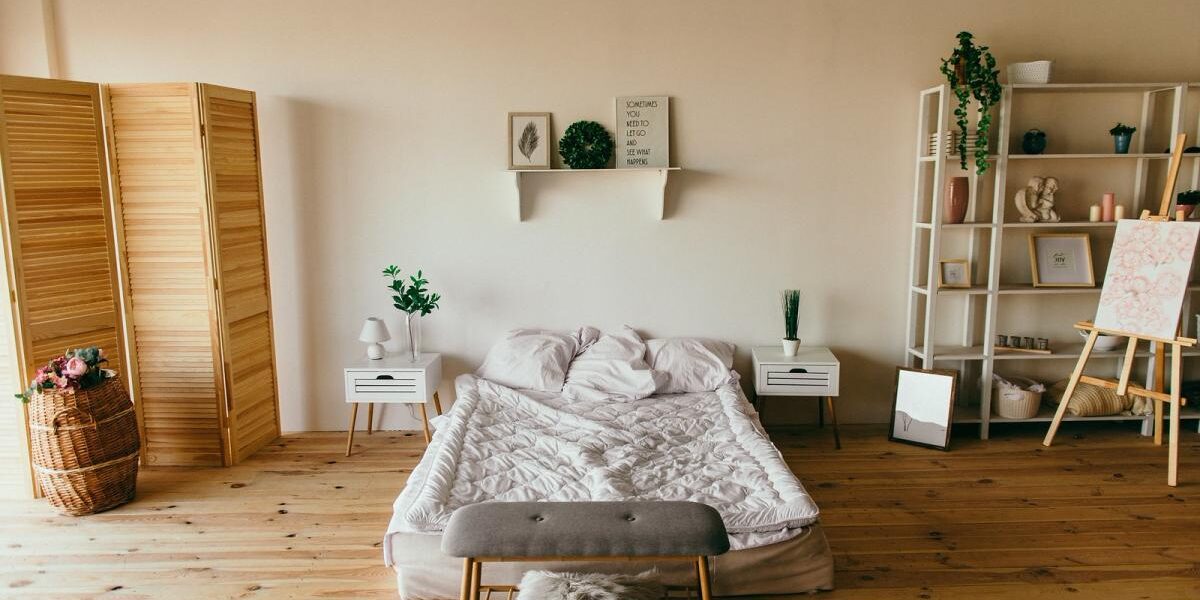
Preparing the apartment for a 3D tour directly affects the quality of the final tour. The Matterport Pro3 scanner captures literally everything — from dust on a shelf to a stray wire under the TV. Go through this checklist a day before shooting, and the tour will turn out clean, spacious and appealing.

Step 1: General cleaning

Wipe dust from all surfaces: windowsills, shelves, kitchen cabinets. Wash mirrors and glass surfaces — they appear in every panorama. Vacuum carpets and baseboards. 3D tour scanning takes 1–3 hours, and during all this time the scanner "sees" every centimeter.

Step 2: Remove personal items and documents

Family photos, children's drawings on the refrigerator, personal documents, medications — all of this reduces the neutrality of the space and distracts potential buyers. Put them in drawers or cabinets. Exception — beautiful decorative items that add coziness: vases, books, plants.

Step 3: Maximum natural lighting

Open all curtains and blinds. Matterport Pro3 shoots in HDR, and the more natural light — the more voluminous and attractive the rooms look. If the windows face north or the tour is planned for the evening, add portable lamps with neutral white light (4000–5000 K).

Step 4: Turn on all electric lighting

Turn on chandeliers, wall sconces, under-cabinet lighting, LED strips — each light source adds depth to the image. Check that no bulbs are burnt out. Dark corners in a 3D tour look like 'holes' in the space.

Step 5: Hide Cables and Equipment

Remove charging cables, extension cords, and TV/computer cables behind furniture or bundle them with cable ties. If the system unit, printer, or other bulky equipment are not part of the interior design — store them in a closet during filming.

Step 6: Clear the passages between rooms

For complete scanning, the scanner must be positioned at multiple points in each room. Cluttered passages create 'blind spots' — unscanned areas that will appear as gray patches in the tour. Passage width — minimum 60–70 cm.

Step 7: Prepare bathrooms

Close the toilet lids — an open lid in the 3D tour looks unkempt. Remove personal hygiene products (shampoos, toothbrushes). Hang fresh towels, put decorative soap. A clean mirror in the bathroom is a must.

Step 8: Arrange décor and fresh flowers

Small details make the space 'alive': a vase with flowers on the dining table, a couple of decorative pillows on the sofa, a beautiful book on the coffee table. Don't overload — 2–3 accent elements per room is enough.

Step 9: Check the Balcony and Loggia

Balconies often turn into storage. A day before filming, remove everything unnecessary from it, wipe the floor and railings. An open, neat balcony adds a sense of space and is perceived as a bonus to the area.

Step 10: Remove the Vehicle from the Yard (if Filming with Facade)

If the tour includes shooting of the facade or entrance group — remove the car from the parking lot in front of the house. Other people's cars block the view and "clutter" the facade panoramas. Arrange with neighbors in advance if needed.

Step 11: Tidy up the entrance group

Scanning begins at the entrance door. A clean mat, neatly arranged shoes on the shelf (no more than 2–3 pairs), a mirror without streaks — the first seconds of the tour shape the impression of the entire property. What the buyer sees at the beginning of the virtual tour, they will remember the most.

Step 12: Final walkthrough 30 minutes before shooting

Walk through the apartment one more time right before the 360° Space specialist arrives: turn on all the lights, remove any items left lying around (keys, glasses, shopping bags), air out and close the windows. These 30 minutes are your insurance against small details that would be impossible to fix later.
Дом в Истринском районе 3D Model
House in the Istra District
Херсонская 7е 3D Model
Khersonskaya 7e
ул. Архипова 3D Model
st. Arkhipova
Девятиэтажка 3D Model
Nine-story building
Искона Дача на Яндекс Картах 3D Model
Iskona Dacha on Yandex Maps
Виртуальный тур по вилле 3D Model
virtual tour of the villa
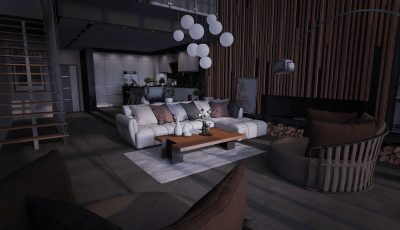
Loft House 3D Model
Loft House
ЖК Хай Лайф 3D Model
High Life Residential Complex
View all projects →

Common mistakes when preparing for filming

  • Leave personal belongings in plain sight — the buyer purchases space, not someone else's lifestyle
  • Unable to check lighting — a burnt-out light bulb or closed curtains kill the frame depth
  • Clutter the passages — the scanner won't be able to reach all corners, blind spots will appear
  • Forget about the balcony and bathrooms — these zones are often the most unprepared
Calculate costProject CatalogMatterport
  • Facebook
  • Share on X
  • LinkedIn
  • WhatsApp
  • Email
  • Copy Link

Order a 3D tour for your property

Leave your contact — we'll respond within 30 minutes and calculate the cost


    Category: BlogBy 360° Space06.06.2026

    Author: 360° Space

    Post navigation

    PreviousPrevious post:Matterport download: what's available and what's not — honest breakdownNextNext post:Virtual tour vs photo: what to choose for an ad on Cian and Avito

    Related Posts

    AI-иллюстрация к статье: Как встроить тур Pro3D на сайт и проверить просмотр на телефоне
    How to embed a Pro3D tour on your website and test it on a phone
    23.10.2026
    AI-иллюстрация к статье: Информационные метки в туре Pro3D: как помочь зрителю и не перегрузить пространство
    Information tags in a Pro3D tour: how to guide viewers without cluttering the space
    22.10.2026
    AI-иллюстрация к статье: Самостоятельная съёмка Pro3D: подготовка помещения, маршрут и проверка связности
    DIY capture with Pro3D: preparing the space, planning the route and checking connectivity
    21.10.2026
    AI-иллюстрация: рабочий стол архитектора, ноутбук с объёмной моделью интерьера и подключённый внешний накопитель.
    How to preserve a Pro3D tour: hosting, transfer, archiving and offline viewing
    19.10.2026
    AI-иллюстрация: современный ресторан и прилегающий гостиничный лобби в едином пространстве.
    A Pro3D tour for hotels and restaurants: the guest journey, updates and a ready-to-use project brief
    18.10.2026
    AI-иллюстрация: коммерческое помещение и квартира в архитектурном разрезе с видимыми планировкой и входами.
    Pro3D 3D tours for real estate: how to calculate the benefits without made-up percentages
    17.10.2026
    Go to Top
    360 Space

    © 360°Space 2017–2026

    Sole Proprietor Gonchar Maksim Alexandrovich

    TIN 501818387709

    OGRN 319508100030536

    Privacy Policy

    Consent to the processing of personal data

    Moscow
    +7 (985) 332 65 67
    Saint Petersburg
    +7 (981) 881 00 42
    Email
    info@360space.ru
    Social media
    Facebook · Rutube · VK
    • Development
      • 3D mapping
      • 3D modeling
      • AR development
      • METAVERSE
      • VR development
      • Mobile app
      • Website Development
      • Development of objective monitoring systems (OMS)
    • Visualization
      • 3D tours
      • 3D tours for Google Maps
      • 3D tours for Yandex Maps
      • Laser Scanning
      • Aerial photography
      • 360 Video
      • Video production and editing
      • Photography

    Quick access

    • Cost calculator
    • Blog
    • 360° Space Acoustic →
    .

    We use cookies and analytics services to make the site work better. By continuing to use the site, you agree to cookie policy And privacy policy.

    English
    Russian
    360 Space Acoustic
    RUEN