3д тур цена — 360space.ru

Цена 3D-тура для бизнеса: что влияет на стоимость и как сэкономить

Цена 3D-тура для бизнеса: что влияет на стоимость и как сэкономить Коротко: Стоимость 3D-тура зависит от многих факторов, включая размер объекта, детализацию и дополнительные опции. Понимание этих нюансов поможет вам эффективно планировать бюджет и получить продукт, соответствующий вашим задачам. Например, для небольшого кафе на 50 м² и крупного завода на 10 000 м² цена будет кардинально отличаться. Интересуетесь, сколько стоит 3D-тур для вашего бизнеса? Вы не одни. Многие предприниматели хотят использовать эту технологию для продвижения, но сталкиваются с вопросом ценообразования. В этой статье мы, команда 360° Space, расскажем, из чего складывается 3Д тур цена, какие факторы влияют на нее и как можно оптимизировать бюджет. Шаг 1: Определяем масштаб объекта Первое, что напрямую влияет на стоимость 3D-тура – это размер и сложность объекта. Чем больше площадь, количество помещений, этажей, тем больше времени требуется на съемку и последующую обработку. Например, съемка небольшой студии площадью 30 м² займет пару часов, а многоэтажного бизнес-центра может потребовать несколько дней работы команды. Мы всегда детально изучаем планировку. Если это ресторан на 600 м² с несколькими залами и кухней, мы закладываем больше точек съемки и времени на постобработку, чем для небольшого магазина. Важно учитывать не только общую площадь, но и количество отдельных зон, которые нужно показать в туре. Шаг 2: Выбираем детализацию и дополнительные опции Простой 3D-тур включает в себя базовую навигацию по панорамам. Но часто клиентам требуется больше. Например, интерактивные точки (хотспоты) с фото, видео, текстом или ссылками на товары. Это могут быть меню в ресторане, описание экспонатов в музее или характеристики товара в шоуруме. Чем больше таких элементов, тем выше трудозатраты и, соответственно, цена. Дополнительные опции, такие как озвучка, фоновая музыка, виртуальный гид, интеграция с системами бронирования или ecommerce, также увеличивают стоимость. Мы однажды делали тур для отеля в Сочи, где клиент хотел добавить видео-отзывы гостей прямо в панорамы номеров. Это потребовало дополнительного монтажа и интеграции, что повлияло на конечную смету. Шаг 3: Технология съемки и оборудование Существует несколько подходов к созданию 3D-туров. Мы используем профессиональные панорамные камеры и технологии, которые обеспечивают высокое качество изображения. Для некоторых проектов, особенно при работе с интерьерами, где нужна максимальная точность и возможность измерения, мы применяем сканеры типа Matterport, которые создают не только панорамы, но и точную 3D-модель пространства. Использование такого оборудования, как Matterport Pro3, позволяет получить более детализированную модель, но и требует больших временных затрат на съемку и обработку, что отражается на цене. Выбор технологии всегда зависит от целей клиента. Если нужен просто красивый обзор, достаточно наших панорамных камер. Если же клиент из Казани хочет, чтобы его строительная компания могла проводить виртуальные обходы объекта с обмерами, то тут без Matterport не обойтись. Мы всегда подбираем оптимальное решение. Шаг 4: Хостинг и размещение 3D-тура После создания тур нужно где-то разместить. Мы предлагаем несколько вариантов: (1) облако 360° Space с высокоскоростными серверами и технической поддержкой – это самый простой и удобный путь для большинства клиентов; (2) размещение на сервере заказчика, если у клиента есть своя инфраструктура и специалисты для поддержки; (3) автономная офлайн-версия для ПК или отдельная сборка под VR-гарнитуру, которая работает без интернета. Например, нас попросили сделать офлайн-версию для выставки, чтобы тур можно было показывать без привязки к сети. Мы не используем термин «бессрочный хостинг», но предлагаем гибкие форматы размещения, которые позволяют выбрать оптимальный вариант как по стоимости, так и по функционалу. Стоимость размещения в облаке 360° Space обычно включается в тариф на определенный период или оплачивается по ежегодной подписке. Размещение на сервере клиента или офлайн-версия – это разовая оплата за сборку и передачу файлов. Шаг 5: Сроки выполнения и срочность Как и в любой услуге, срочность влияет на цену. Если проект нужно сдать «вчера», это может потребовать привлечения дополнительных специалистов или работы в нерабочее время, что повлечет за собой увеличение стоимости. Планирование заранее всегда помогает сэкономить. Смотреть все проекты → Типичные ошибки, которые увеличивают 3Д тур цену Нечеткое техническое задание: Отсутствие ясного понимания, что именно нужно от тура, приводит к доработкам и переделкам. Каждое изменение после начала работ увеличивает бюджет. Попытка сэкономить на качестве: Выбор самых дешевых предложений часто оборачивается плохим изображением, медленной загрузкой и отсутствием поддержки. В итоге такой тур не приносит пользы, а деньги потрачены зря. Неподготовленный объект: Перед съемкой помещение должно быть убрано, расставлено, по возможности, декорировано. Если команда приедет на объект, а там беспорядок, придется либо ждать, либо возвращаться, что влечет дополнительные расходы. Игнорирование дополнительных опций: Заказ базового тура, а затем постоянное добавление «по одной кнопке» или «еще одной ссылки» по ходу проекта. Лучше сразу продумать все необходимые интерактивные элементы. Частые вопросы Сколько времени занимает создание 3D-тура? Время создания зависит от размера объекта и сложности задач. Небольшое помещение (до 100 м²) может быть готово за 3-5 рабочих дней с момента съемки. Для крупных объектов (несколько тысяч м²) срок может составлять 2-3 недели. Могу ли я сам вносить изменения в 3D-тур? Базовые изменения, такие как замена информации в хотспотах, обычно можно делать через нашу панель управления, если такая опция предусмотрена в вашем тарифе. Для более сложных изменений (добавление новых панорам, изменение навигации) потребуется помощь специалистов 360° Space. Как 3D-тур влияет на SEO? 3D-тур повышает вовлеченность посетителей на вашем сайте, увеличивает время пребывания и снижает процент отказов. Это положительно сказывается на поведенческих факторах, которые учитываются поисковыми системами при ранжировании. Рассчитать стоимостьКаталог проектовMatterport

купить виртуальный тур — 360space.ru

Buy or order a virtual tour: what is the difference and what is more profitable

Купить или заказать виртуальный тур: в чём разница и что выгоднее Коротко: Если вы хотите купить виртуальный тур, важно понимать, что чаще всего речь идёт о заказе индивидуальной съёмки и сборки «под ключ». Готовых универсальных решений почти нет, ведь каждый объект уникален. Мы в 360° Space создаём 3D-туры, полностью адаптированные под ваши задачи и особенности объекта. Часто к нам обращаются клиенты с запросом «купить виртуальный тур». И это логично: люди ищут готовое решение, которое можно сразу применить. Но в реальности, «покупка» виртуального тура – это, как правило, заказ индивидуальной услуги по его созданию. Ведь каждый объект – будь то ресторан, отель, склад или жилой комплекс – имеет свою планировку, освещение, свои акценты. Универсального 3D-тура, который подошёл бы всем, просто не существует. Мы, как команда 360° Space, занимаемся созданием таких туров с нуля, учитывая все пожелания заказчика. Зачем нужен 3D-тур: практические выгоды Виртуальный тур – это не просто красивая картинка, это мощный маркетинговый инструмент, который решает конкретные бизнес-задачи. Вот несколько примеров из нашей практики: Увеличение конверсии: В среднем, наличие 3D-тура на сайте увеличивает глубину просмотра страниц на 30-40%. Посетители задерживаются дольше, изучают объект, и вероятность их обращения или покупки возрастает. Например, один наш клиент из гостиничного бизнеса в Сочи отметил рост прямых бронирований на 25% после внедрения тура. Экономия времени менеджеров: Представьте, сколько вопросов снимает возможность «погулять» по объекту онлайн. Менеджеры тратят меньше времени на первичные консультации и показы, отвечая уже на более предметные вопросы. Для крупного бизнес-центра в Москве мы делали тур, который сократил количество первичных ознакомительных визитов на 15%, разгрузив отдел аренды. Расширение географии продаж: Потенциальные клиенты могут «посетить» ваш объект из любой точки мира. Это особенно актуально для недвижимости, туризма и образования. Мы создавали тур для российского вуза, который позволил абитуриентам из других стран получить полное представление о кампусе, не приезжая лично. Выделение среди конкурентов: 3D-тур – это современный и технологичный способ презентации. Он демонстрирует открытость и клиентоориентированность вашей компании. На рынке, где конкуренция высока, это становится весомым преимуществом. Один ресторан на Невском проспекте, для которого мы делали тур, отметил, что посетители стали чаще выбирать их заведение, ссылаясь на «возможность посмотреть всё заранее». Улучшение SEO-показателей: Google, Яндекс и другие поисковые системы любят интерактивный контент. 3D-туры улучшают поведенческие факторы (время на сайте, отказы), что позитивно сказывается на позициях в поисковой выдаче. Как это работает: процесс от съёмки до результата Создание виртуального тура – это многоступенчатый процесс, требующий профессионального подхода. В 360° Space мы работаем по чёткому алгоритму: Планирование и согласование: Начинаем с обсуждения ваших целей и задач. Какую информацию нужно донести? Какие точки должны быть включены в тур? Нужно ли добавить интерактивные элементы – видео, фото, текстовые описания? Мы анализируем объект, его особенности и предлагаем оптимальный план съёмки. Съёмка: Наша команда выезжает на объект со специализированным оборудованием. Это не просто «фотографирование», а создание серии сферических панорам высокого разрешения. Мы используем профессиональные камеры и штативы, чтобы получить максимально детализированные и качественные изображения. При съёмке ресторана на 600 м² мы можем сделать до 50-60 панорам, чтобы охватить все залы и детали интерьера. Постобработка и сшивка панорам: После съёмки начинается «магия» в студии. Панорамы сшиваются, корректируется цвет, экспозиция, убираются мелкие дефекты. Цель – создать бесшовное, реалистичное изображение, которое погружает зрителя в пространство. Сборка тура: Мы собираем все панорамы в единую навигационную систему. Добавляются «горячие точки» (хотспоты) для перехода между локациями, информационные всплывающие окна, видео, аудио, ссылки на сайт или форму заказа. Это могут быть и элементы брендирования, логотипы, фирменные цвета. Размещение и тестирование: Готовый тур размещается на выбранной платформе. Мы предлагаем несколько вариантов: (1) облако 360° Space с высокоскоростными серверами и технической поддержкой; (2) сервер заказчика, если клиент хочет развернуть тур на своей инфраструктуре; (3) офлайн-версия для ПК или отдельная сборка под VR-гарнитуру, которая работает без интернета. После размещения всегда проводим финальное тестирование, чтобы убедиться в корректной работе на всех устройствах. Примеры наших работ Смотреть все проекты → Сколько стоит: ценовой диапазон и факторы Стоимость виртуального тура – это всегда индивидуальный расчёт, потому что каждый проект уникален. Нельзя просто «купить виртуальный тур» по фиксированной цене, как товар в магазине. Цена зависит от нескольких ключевых факторов: Размер и сложность объекта: Количество панорам напрямую влияет на стоимость. Чем больше площадь, чем больше отдельных комнат или зон, тем больше точек съёмки потребуется. Например, тур по небольшой квартире будет стоить значительно меньше, чем по многоэтажному торговому центру. Количество интерактивных элементов: Нужны ли дополнительные фото, видео, текстовые описания, ссылки? Каждый такой элемент требует отдельной работы по подготовке и внедрению. Дополнительные функции: Голосовое сопровождение, интегрированные карты, функция измерения расстояний, возможность заказа или бронирования прямо из тура – всё это расширяет функционал и влияет на итоговую цену. Когда нас попросили сделать офлайн-версию для выставки, это тоже добавило к стоимости, так как потребовалась отдельная сборка. Срочность выполнения: Как и в любой сфере, ускоренные сроки могут повлиять на стоимость проекта. Формат размещения: Размещение на наших серверах уже включено в стоимость, но если требуется специфическая сборка для VR-гарнитуры или интеграция в сложную IT-инфраструктуру заказчика, это может потребовать дополнительных ресурсов. В целом, стартовая цена за простой виртуальный тур по небольшому объекту (например, однокомнатная квартира или небольшой офис) может начинаться от 15 000 – 20 000 ₽. Более сложные проекты, такие как крупные отели, заводы или жилые комплексы, могут стоить от 100 000 ₽ и выше. Чтобы получить точный расчет, воспользуйтесь нашим онлайн-калькулятором или свяжитесь с нами для индивидуальной консультации. Мы всегда готовы предложить оптимальное решение под ваш бюджет и задачи. Частые вопросы Q: Сколько времени занимает создание виртуального тура? A: Сроки зависят от размера и сложности объекта, а также от количества интерактивных элементов. Обычно, от момента съёмки до получения готового тура проходит от 5 до 15 рабочих дней. Для очень больших или сложных проектов сроки могут быть дольше. Мы всегда оговариваем их на этапе планирования. Q: Могу ли я обновить тур, если что-то изменится в моём объекте? A: Да, конечно! Мы предоставляем услуги по обновлению и доработке туров. Если вы сделали перестановку, добавили новую услугу или изменили интерьер, мы можем досъять необходимые панорамы и интегрировать их в существующий тур. Это намного дешевле, чем создавать тур заново. Q: Нужен ли мне свой сайт для размещения 3D-тура? A: Не обязательно. Мы предлагаем гибкие форматы…

виртуальный тур цена — 360space.ru

How much does a virtual tour cost: full price list 2026 for all niches

How much does a virtual tour cost: full price list 2026 for all niches Briefly: The price for a virtual tour in 2026 is formed individually, depending on the area, complexity of the object and additional options. For example, a tour of a small apartment can cost from 15,000 ₽, and for a large hotel it can be much more expensive. The question “virtual tour price” is one of the key ones for those who are considering this tool for their business. We at 360° Space encounter it every day. It is important to understand that this is not just a cost for the number of panoramas, but an investment in an effective marketing tool that brings real returns. Let's figure out what the cost is made up of and what factors influence the final amount. Why do you need a 3D tour? A virtual tour is not just a pretty picture, but a powerful tool for solving specific business problems. It helps shorten decision cycles, improve conversions, and increase customer trust. Here are a few key benefits our clients are seeing in their practices: Increased online impressions by 300%. This is especially true for real estate. Buyers or renters can “walk” a property without leaving their home, greatly increasing their engagement before a physical visit. Reducing the number of “empty” visits by 25–40%. Clients already have a complete understanding of the property, and only those who are truly interested come. We noticed this while working with several real estate agencies in Moscow. Increase website conversion by up to 20%. Interactive content retains the user longer and makes their interaction with the site deeper. For example, for one restaurant in St. Petersburg, we tracked that users who viewed the tour spent an average of 2 minutes longer on the page. A distinct advantage over competitors. In a highly competitive environment, especially in the hospitality or sales industries, a 3D tour makes your property stand out. Clients choose those who provide the most information. Global audience coverage 24/7. Your object is available for viewing from anywhere in the world, at any time, without restrictions. This is especially important for tourist sites and educational institutions. How it works: the filming process, timing, result The process of creating a virtual tour in 360° Space is fine-tuned to the smallest detail. It includes several stages, each of which is important to obtain a high-quality result. First, we discuss the project with you: the area of ​​the facility, the number of rooms, the presence of special zones that need to be highlighted. For example, when shooting a 600 m² restaurant with several rooms, it was important to take into account the arrangement of tables and lighting for each room. Next comes the shooting stage. Our specialists come to the site with professional equipment. We use specialized 360-degree cameras and tripods. The shooting time depends on the area and complexity: for a small apartment it can be 1-2 hours, for a large production workshop - a whole day or even several. We always try to work as efficiently as possible so as not to interfere with your activities. After shooting, post-processing begins. This is the most time-consuming stage. We stitch together panoramas, correct colors, eliminate defects, add interactive elements: information points, videos, photographs, links, order buttons. At this stage we can also integrate 3D models of objects if necessary. The entire process takes from 3 to 10 working days, depending on the complexity of the project. The result is a ready-made, fully interactive virtual tour. It can be posted on your website, Google Maps, social networks. We offer flexible storage and tour delivery options: you can use the 360° Space cloud on our high-speed servers with technical support; place the tour on the customer’s server using your own infrastructure; or get an offline version for PC or a separate assembly for a VR headset that works without the Internet. For example, we were once asked to create an offline version for an exhibition in order to demonstrate objects without depending on Wi-Fi. See all projects → How much does it cost: price range There is no single fixed price for a virtual tour, since each project is unique. The cost is determined based on several key factors. We always calculate the cost individually to offer you the optimal solution. The main factors influencing the cost: The area of ​​the object and the number of shooting points. The larger the area and the more panoramas you need to make for full coverage, the higher the cost. For example, a tour of a 100 m² dental clinic will be significantly cheaper than a tour of a 10,000 m² shopping center. Complexity of the object. The presence of many small details, complex lighting, and hard-to-reach places increases the shooting and post-processing time. Additional interactive elements. Including information pop-ups, video, audio, website links, order buttons, feedback forms - all this adds value to the tour and affects its cost. Integration with other services. For example, posting a tour on Google Maps or integrating with your CRM system. Urgency of order fulfillment. If a project needs to be completed under a tight deadline, this can impact the cost. Object location. Travel outside the city or region may include transportation costs. We work throughout Russia, and for a client from Kazan, for example, the cost will include travel expenses. As a guide, the price for a virtual tour can start from 15,000 rubles for small objects (for example, a one-room apartment or a small showroom) and reach several hundred thousand rubles for large industrial enterprises, museums or hotel complexes with dozens of rooms and a large number of interactive elements. For a more accurate calculation, we recommend using our online calculator. We always provide a detailed estimate before work begins so you know exactly what you're paying for. Our goal is not just to make a tour, but to create an effective tool that will bring you real benefits. Frequently asked questions Q: Can I update the virtual tour if something changes in the premises? A: Yes, of course. We can re-shoot and update only those parts of the tour that have changed. This is much cheaper than doing the tour again. Q: How long does it take to create one virtual tour? A: The timing depends on the scale and complexity of the project. Typically, the full cycle from shooting to the finished tour takes from 3 to 10 working days. For very large objects, the terms are discussed individually. Q: Do I need special preparation of the room before filming? A: It is advisable that the room is clean, tidy and looks the way you want to present it. We will give detailed recommendations for preparation so that the result is as effective as possible. Calculate costProject catalogMatterport
Сравнение 3D-сканеров и платформ виртуальных туров — аналоги Matterport в России 2026

Analogues of Matterport in Russia: comparing 5 platforms in 2026

Matterport analogues in Russia: comparing 5 platforms in 2026 Briefly: Matterport analogues in Russia are a way to film and show 3D tours without depending on foreign subscriptions and foreign currency payments. We will analyze five working platforms, show the pros, cons and give a direct recommendation - without “depending on the situation”. Text for those who are already stuck on Matterport: the card does not pass sanctions, export for a VR headset is not available, but I want to give the client a tour on a flash drive for an exhibition. We at 360° Space have walked this path together with dozens of customers - from a developer in Kazan who rented a residential complex for 12 apartments, to a museum in Yekaterinburg who asked for an offline assembly for Oculus Quest 3 for a stand at the forum. The essence of the choice is simple: either the usual Matterport Pro3 camera with someone else’s cloud, or Russian and open solutions, where you decide for yourself where the tour lives - with us, with you, or without the Internet at all. Option A: Matterport through intermediaries Formally, the camera is still transported through parallel import, and the subscription is paid for through foreign legal entities. It works, but it's nervous. Pros: Familiar interface - customers have seen such tours on Western real estate websites. Auto stitching and Dollhouse view out of the box. Large library of tags, measurements, integrations with CRM. Cons: Payment for the subscription is through a payment plan, there is a risk of blocking your account and losing all tours. There is no regular offline version: the tour lives only in the Matterport cloud. Exporting to a standalone VR headset is a separate pain, often through third-party converters. Support is only in English, with a delay of a day. Option B: Russian and open platforms This includes solutions based on Insta360 / Ricoh Theta with assembly in Pano2VR, 3DVista, Kuula, Marzipano and our own 360° Space platform. They are different in depth, but have one thing in common: you are not tied to someone else’s subscription. Pros: Three hosting formats: 360° Space cloud with technical support in Russian, deployment of the tour on the customer’s server, offline version for PC or separate assembly for a VR headset without the Internet. Payment in rubles, agreement with a Russian legal entity, closing documents. Flexibility: custom fonts, branding, integration with 1C, amoCRM, Bitrix24. Shooting with the same panoramic cameras as Matterport competitors - the quality does not sags. Cons: One-button auto-stitching is not available everywhere - some platforms require manual operator work. The dollhouse-type (doll house) is not implemented by everyone, and is not so polished. The library of ready-made integrations is smaller than that of Matterport. From experience, the disadvantages are resolved at the shooting stage. For example, we shoot on Insta360 Pro 2 + Leica BLK360 lidar, and we get the “doll house” through our own rendering. Comparative table of five platforms Criterion Matterport 360° Space 3DVista Kuula Marzipano Payment in rubles Through an intermediary Yes Through an intermediary Through an intermediary Free (open-source) Cloud with support in Russian No Yes No Partially No Hosting on the customer’s server No Yes Yes No Yes Offline version for PC / VR Limited Yes Yes No PC only Auto stitching and Dollhouse Yes Yes (manual control) Partially No No Entry threshold for the customer Medium Low High Low High (a developer is needed) We compare prices qualitatively: Matterport through an intermediary is usually more expensive in the long run due to the monthly subscription in foreign currency; Kuula and Marzipano are cheaper, but do not cover offline tasks; 360° Space and 3DVista are comparable on medium-sized projects, but on large projects, 360° Space wins due to the included support. Our verdict If you have real estate, a restaurant, a showroom, a museum or a production site of 200 m² or more, take the “Russian platform + operator with its equipment” combination. Matterport in 2026 in Russia is an extra layer of risk for the sake of a familiar logo. Specifically: for marketing and sales - the 360° Space cloud, so that the client opens a tour from his phone in a second. For corporate customers with a security service - deployment on the customer's server. For exhibitions, presentations and staff training - offline assembly on a laptop or a standalone version for Meta Quest 3 or Pico 4. Case study: a chain of car dealerships from three cities came to us with tours filmed on Matterport Pro2. We transferred them to 360° Space, connected dealer branding and put together an offline version for managers’ tablets. Sellers show the tour to the client directly in the salon, without Wi-Fi. Look at the latest projects - they have different niches and footage: View all projects → Frequently asked questions Is it possible to transfer an already filmed Matterport tour to 360° Space? Yes, if you still have the original panoramas or access to your account. We unload the spheres, rebuild the navigation, add branding and deliver the tour in the required format - cloud, your server or offline. How is the price compared to Matterport? We don’t publish the exact figures of our competitors, but based on experience, 360° Space works out cheaper over a long distance - there is no monthly subscription in foreign currency, the payment is one-time for the project. You can calculate a specific estimate using the calculator. Does the tour work on a VR headset without the Internet? Yes, we are separately building a standalone version for Meta Quest 3, Pico 4 or Oculus Rift. The tour is delivered via SideQuest or direct APK and works without Wi-Fi - convenient for exhibitions and presentations in the field. Calculate costProject catalogMatterport
matterport россия — 360space.ru

Matterport in Russia: how to order, terms, what’s included in the price

Matterport in Russia: how to order, terms, what is included in the price Briefly: Matterport in Russia is ordered on a turnkey basis - from the operator’s visit to the ready-made link to the tour. We shoot an average object of 300–500 m² in 1 day, installation and publication – another 3–5 working days. You can store the finished tour in three ways: in the 360° Space cloud, on the customer’s server, or offline assembly under VR. Matterport in Russia today is not exotic, but a working tool for realtors, museums, hotels and industries. The technology comes from the USA, but we learned to shoot with Matterport Pro3 and BLK360 cameras a long time ago: the 360° Space team photographed more than a thousand objects from Kaliningrad to Vladivostok. Below we will look at what the order looks like in practice, how many days in advance you will receive the finished tour and what the price consists of. No marketing fluff - just what clients actually ask on the first call. Spoiler: the most expensive part of the project is not the shooting, but the logistics and post-processing of complex objects like shopping centers. Why does a business need a 3D tour on Matterport Clients rarely come with an abstract “I want a tour” - usually the task has a specific number that needs to be moved. This is what Matterport gives in real projects: Saving time on showings. A real estate agency from Kazan, after publishing tours at 40 properties, reduced the number of “empty” trips by 60% - buyers are eliminated at the virtual viewing stage. Increased conversion on the site. A hotel in Sochi added a Matterport tour to its rooms page - viewing depth increased by 2.3 times, direct bookings increased by 18%. Accurate measurements without visiting. The built-in Measurement Mode tool gives an error of up to 1%. When filming a 600 m² restaurant in Nizhny Novgorod, the ventilation contractor made a tour design without visiting the site. Documenting the condition. One tour once a quarter - and you have an archive of repairs, defects, and layouts. A customer from a construction company sends operators to 4 sites a month just for this purpose. Distance learning and briefings. A production workshop in Yekaterinburg was filmed in VR - new employees study evacuation routes in a headset before their first shift. How it works: from application to finished link The process is divided into three stages. The first is coordination. We specify the area, number of floors, operating mode of the facility and the target platform (web, VR headset, integration into CRM). Usually a 15-minute call and a floor plan in any format is enough - even a handwritten photo. The second stage is filming. The cameraman arrives with a Matterport Pro3 camera, a tripod and a backup battery. For every 15–20 m², one panoramic point is made: the camera itself rotates 360°, takes pictures and measures distances with a lidar. Speed ​​- approximately 100–150 m² per hour in a “clean” object without furniture, 60–80 m² in a residential apartment with people and cats (tested). The third is post-production. The points are stitched together in the Matterport cloud, the operator cleans the artifacts, places tags (descriptions, links, videos, product pictures), generates a dollhouse view and floor plans. Next is publication. Here the customer chooses where the tour will live: Cloud 360° Space - our high-speed servers with technical support. The link can be embedded on the site in 2 minutes via iframe. Customer's server - if internal security rules do not allow the tour to enter the external cloud. We deploy it on the client’s infrastructure and provide instructions for updating. Offline assembly - a standalone version for PC or a separate assembly for a VR headset. Works without the Internet - convenient for exhibitions, museums in the outback, sensitive objects. We recently assembled one for a stand at an industrial exhibition - the tour was launched from a flash drive. Time frame for an object of 300–500 m²: shooting – 1 day, installation and publication – 3–5 working days. We shoot large objects from 2000 m² in 2-3 shifts, post-production - up to 2 weeks. See all projects → How much does Matterport cost in Russia? The price is made up of four components: the area of ​​the object, the complexity of the shooting (furniture, lighting, time restrictions), the distance from the operator’s base and the depth of post-production. A small apartment or office up to 100 m² within Moscow will cost from 15,000 ₽ turnkey - with publishing in the cloud and a basic set of tags. The average facility - a retail space, a restaurant, a showroom of 300–600 m² - falls in the range from 35,000 to 80,000 rubles. Custom tags, website integration, and a floor plan in PDF are already added here. We consider large projects (hotels, factories, museums from 1500 m²) individually - the team’s travel to the region, work at night or on weekends, and VR assembly are greatly influenced. The guideline is from 120,000 ₽, but the real fork is wide. What is always included in the price: shooting, processing, publication of the tour, embedding link, floor plan, dollhouse view, integration consultation. What is paid separately: travel outside the home city (by mileage), complex tags with video/3D models, offline assembly for a VR headset, urgency (less than 48 hours for installation). It’s more convenient to estimate the exact figure for your object in a calculator - there are 4 steps and the result is within a minute. Frequently asked questions Is it possible to rent Matterport in another city if you don’t have an operator there? Yes, we work all over Russia. We have operators in 12 cities, we travel to the rest - the cost of travel is included in the estimate as a separate line. For objects over 500 m², the move often pays off due to the scale. Will the tour still work if I stop paying for the Matterport cloud? This is why we offer three accommodation formats. If you want independence from a subscription, we deploy the tour on your server or provide an offline build. This is a one-time job, then the tour lives without monthly payments. How long will the operator spend on site? Apartment 60–80 m² - about 1 hour. Restaurant or office of 300 m² - 2–3 hours. Large object from 1000 m² - full time, sometimes two. We try to film outside of business hours so as not to disturb your clients and employees. Calculate costProject catalogMatterport
How Matterport works: shooting, processing, results in 24 hours

How Matterport works: shooting, processing, result in 24 hours Briefly: Matterport 3d tour is assembled according to the chain “shooting with a Pro3 or Pro2 camera → automatic stitching in the cloud → publishing a link.” On a 200 m² site, we shoot within 2–3 hours; the client receives the final tour within 24 hours. Then there are three placement options: 360° Space cloud, client server or offline assembly. This guide will be useful to owners of restaurants, hotels, showrooms, realtors and marketers - anyone who wants to understand how a working matterport 3D tour appears from an empty room in 24 hours with a link that can be posted on social networks or embedded on a website. I’ll tell you without marketing: what actually happens on the site, where the processing time goes and where the client most often loses quality due to minor mistakes. Over the past year, we have photographed more than 90 properties on Matterport - from studio apartments to a 4,500 m² warehouse. The scheme is almost always the same, the nuances differ. Step 1. Preparation of the object and technical specifications Before the film crew leaves, we agree on the list of zones, light and purpose of the tour. If this is a restaurant, we discuss whether display cases with dishes are needed (a client from Kazan asked to shoot after setting the tables, so we had to shift the shift to 11 am). For real estate - we remove personal belongings, turn on all the lights, turn off mirror TVs. At the same stage, we record where the finished tour will go: only to the website, to VR glasses for the exhibition, or to the client’s server with closed access. The final export—and therefore the processing time—depends on this. Step 2. Shooting with a Matterport Pro3 camera Place the camera on a tripod, fix the first point, and then use the app to take a 360° scan in 20 seconds. We place points every 1.5–2.5 meters. A room of 200 m² means about 40–60 scans and 2 hours of work for one operator. On large objects (warehouse, car showroom, museum) we work in pairs - one operator controls the camera, the second makes sure that people do not get into the frame. The application immediately shows a preview of the passability - if the operator missed a pass somewhere, this can be seen in real time. A separate point is lighting. Matterport does not handle contrasting scenes well: bright window + dark corner = light and noise. When filming the showroom on Leninsky, we covered the windows with a diffuser film - otherwise the prices on the price tags would have disappeared on the scan. Step 3. Upload to the cloud and automatic merging After the last scan, click “Upload” - the data goes to the Matterport cloud. Then the algorithm itself collects the points into a single 3D model: it builds a mesh of the room, stitches together panoramas, and calculates geometry. The gluing time depends on the number of points. Apartment 60 m² - 40 minutes. Restaurant 600 m² - about 4 hours. The 4,500 m² warehouse was assembled overnight. No human participation is required at this stage - but that is why it is important to shoot cleanly, because it is impossible to “tweak” the algorithm after the fact. Step 4. Post-processing and branding Once the model is ready, the manual part begins. We cut off areas where the client does not want to allow the viewer (utility rooms, service doors). We place Mattertags - interactive tags with a description, photo or link to the product card. For an online furniture store, we installed 47 tags - each one leads to a product page with a price in rubles. Next comes branding: client logo, custom start screen, music (on request). If the tour goes for offline screening for the Meta Quest VR headset, we will prepare a separate assembly without Internet dependencies. This is plus 3–5 hours of work. Step 5. Publication: three placement options We give the finished matterport 3d tour to the client in one of three formats, and this is a fundamental point: Cloud 360° Space - the tour lies on our servers with technical support. The client receives a short link and an iframe for embedding on the site. Suitable for most - no need to administer anything. Customer's server - the tour is deployed on the client's infrastructure. Relevant for banks, government agencies and corporate customers, where data should not go outside. Offline - standalone version for PC or a separate assembly for a VR headset. Works without the Internet. We are often asked for this format for exhibitions and roadshows - recently we were preparing an assembly for a stand at Innoprom. Step 6. Acceptance and transfer to the client We send the client a link and call for 15 minutes - we show how to edit tags, change descriptions, add new photos. Then the owner manages the tour himself through his personal account. If everything was ready for shooting and the object does not exceed 500 m², we take 24 hours from the departure of the crew to the finished link. For large objects or complex branding – 2–3 days. Examples of ready-made matterport tours Below are the latest projects that we have filmed. Open from any device; Meta Quest or Pico are suitable for VR. See all projects → Typical mistakes when shooting Matterport Collected what often causes you to reshoot or get an ugly result: Shooting points that are too rare. If you place the camera every 4-5 meters, the algorithm does not have time to “sew” the geometry - the tour turns out with dips and strange transitions. The optimum is 1.5–2.5 m between points. People and movement in the frame. Matterport doesn't understand movement. A passerby or waiter in the frame turns into a “ghost” with distorted geometry. Make arrangements to shoot before the facility opens. Mirrors and glass doors. The camera perceives the mirror as a passage, and the algorithm begins to build “phantom” rooms. It is better to cover large mirrors with a cloth while shooting. Change of light in the middle of shooting. If you first filmed during the day, then it got dark, the dots will not stick together in color. We keep one lighting mode for the entire session. Frequently asked questions How much does a matterport 3d tour cost? The price depends on the area, number of points and amount of branding. Landmark - from 15,000 ₽ for a small object. It is more convenient to make an exact calculation using the calculator on the website. Is it possible to embed a tour on your website? Yes, we provide an iframe code that can be inserted into any website - Tilda, WordPress, Bitrix, or a custom engine. The tour adapts to the width of the block. What if the property does not have internet? We are preparing an offline version - a standalone build for PC or a separate build for a VR headset. Works without a network, suitable for exhibitions and presentations in the field. Calculate costProject catalogMatterport
matterport pro 3 — 360space.ru

Matterport Pro 3: camera review, features and who it's suitable for

Matterport Pro 3: camera review, characteristics and who it’s suitable for Briefly: Matterport Pro 3 is a professional camera with a LiDAR scanner with a range of up to 100 meters, films both indoors and outdoors. During the shift, the 360° Space team scanned a shopping center with an area of ​​3200 m² in Nizhny Novgorod, the tour was assembled in three days. Matterport Pro 3 is the flagship camera of the American company Matterport, built around a LiDAR sensor and a 134 MP per frame matrix. Unlike the previous Pro 2, the third model works confidently outdoors: the sun no longer bothers it. We took it to the park first - we rented a loft with panoramic windows, where the Pro 2 had previously produced “holes” in the geometry. There were no holes here. The camera is designed for renters who sell tours as a product: premium real estate agencies, developers, museums, industrial facilities. For a home blog it is redundant, but for a hotel with 80 rooms or a production workshop it is definitely not. Why does a business need a 3D tour? We have been calculating the effect of client projects for six years and this is what we see in the numbers: Time on the site increases by 4–7 times. The average visitor spends 5-8 minutes on a tour page versus 40-70 seconds on a regular gallery page. For a developer client from Kazan, the conversion to an application increased from 1.2% to 3.8% after embedding the tour on the residential complex card. Minus 30–50% of “empty” views of the object. Realtors from St. Petersburg said: before the tour, 15 people came to the apartment in business class, bought 1. After that, 6 came, bought 2. People are eliminated at the online viewing stage. Acceleration of approvals by 40–60%. Architects and contractors see the object 1:1 without visiting. One customer, a chain of coffee shops, agreed on a new hall format for a tour with all regions in one Zoom. Increase in search traffic. Google and Yandex love pages with interactive content: viewing time is a signal of quality. At the museum in Yaroslavl, organic traffic increased by 34% in six months. Sales through VR display. A separate tour assembly for a Meta Quest or Pico headset closes deals at international exhibitions without the client physically traveling. How it works Shooting with Matterport Pro 3 takes place step by step: the operator places the camera on a tripod, starts scanning from the tablet, the camera rotates for 20–25 seconds, LiDAR reads the geometry, the lens takes a panorama. Next - move 2–2.5 meters, the next node. Speed ​​in practice: an apartment of 80 m² - an hour and a half, a restaurant of 600 m² - half a working day, a warehouse of 5000 m² - two shifts with one operator and an assistant. On the street, the camera shoots best in diffused light - the direct sun at 12 o'clock gives overexposure, we plan to shoot in the morning or evening. After field work, the point cloud and panoramas are sent to Matterport servers, where they are merged into a single 3D model. Usually we give the finished tour to the client in 24–72 hours - it depends on the volume and branding changes (logo, tags, audio guide, integration with CRM). The tour can be arranged in three ways. The first is the 360° Space cloud: our high-speed servers with technical support, the link is given to the customer, and an iframe is embedded on the site. The second is the client’s server: we deploy the assembly on the customer’s infrastructure, relevant for banks and government agencies with security requirements. The third is an offline version: a standalone build for a PC or a separate build for a VR headset, works without the Internet (we were recently asked to make one for a stand at Innoprom). See all projects → How much does it cost? The price of a tour on Matterport Pro 3 consists of three components: travel and filming, processing and assembly, accommodation with support. We have starting projects (apartment, small office) - from 15,000 ₽. The average commercial tour for 300–800 m² is from 35,000 to 90,000 rubles. Large objects - production facilities, shopping centers, museums - are counted individually: components, additional processing, VR assembly and tags are counted there. Compared to cameras like Insta360 or Ricoh Theta, Matterport is more expensive on small projects, but on projects over 500 m², the advantage in geometry and dimensional accuracy makes up for the difference. LiDAR gives an error of about 1% versus 5–7% for photo stitching. It is more convenient to look at the exact figure for your object on a calculator - it takes into account the area, urgency, number of floors and placement format. Frequently asked questions: Does Matterport Pro 3 shoot outdoors? Yes, third-generation LiDAR works at distances of up to 100 meters and is not afraid of sunlight. We photographed courtyards, parks, and industrial sites. There is only one limitation - rain and snow: drops fall into the sensor and damage the points. How is Pro 3 better than Pro 2? The LiDAR range has increased from 4.5 to 100 meters, the scanning speed of one node has increased by 3–4 times, and street photography has appeared. The panorama resolution is 134 megapixels versus 134 megapixels for Pro 2, but the geometry accuracy and color rendition are noticeably higher. Can a tour be embedded on any website? Yes, we provide the iframe code - it works on Tilda, WordPress, Bitrix, and any custom engine. If you need an offline display at an exhibition or in a showroom without the Internet, we assemble an offline version for a PC or VR headset separately. Calculate costProject catalogMatterport
matterport это — 360space.ru

What is Matterport: a complete analysis of technology for business

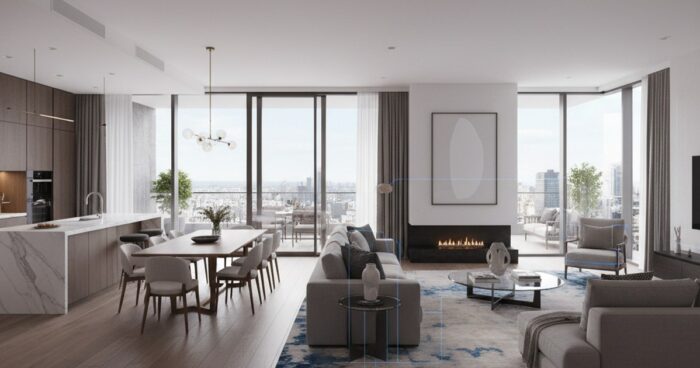
What is Matterport: a complete analysis of technology for business In short: Matterport is the leading technology for creating detailed 3D tours of premises, which allows you to digitize space with high accuracy. It is widely used in real estate, hospitality, retail and many other commercial applications, offering an interactive and visual way to display properties. Curious about what Matterport is and how this technology can benefit your business? We, the 360° Space team, work with 3D tours every day and can tell you about Matterport from the inside, based on real project experience. It's not just a buzzword, but a powerful tool for visualizing spaces that has gained popularity due to its detail and convenience. Matterport is essentially a hardware and software package for creating immersive virtual tours. It captures real-life spaces and transforms them into interactive 3D models that users can freely navigate, examine details and gain information. Often clients come to us already knowing about Matterport because they have seen such tours from competitors or in the real estate industry. Why Businesses Need a Matterport 3D Tour Matterport-powered 3D tours offer businesses a range of tangible benefits that directly impact sales, marketing and operations. We see this in practice when our clients from different areas note specific changes after the introduction of tours. Increased potential customer engagement: Website visitors spend an average of 40% more time in 3D tours compared to viewing regular photos and videos. For example, for a hotel, this means that the guest “walks” longer through the rooms, restaurant and lobby, better imagining their future vacation. Reduce the number of empty showings or visits: In the real estate industry, 3D tours help weed out non-target clients. If a person has already “walked” around the apartment online, he will come to view only if the object is really interesting to him. This saves agents and owners time by reducing the number of ineffective showings by up to 30%. Expanding sales geography and audience coverage: For companies working with remote clients, a 3D tour is becoming an indispensable tool. A client from Vladivostok can examine the property in Kazan in detail without going to the site. This is especially true for purchasing real estate or choosing a venue for events. An effective tool for staff training and planning: Not just for clients! We have done tours for manufacturing plants where they were used to instruct new employees on safety or to plan equipment placement. The ability to “walk” through the workshop remotely greatly simplifies these processes. Increased trust and transparency: The openness and detail of the 3D tour creates a feeling of honesty and reliability for the client. You show everything as it is, without embellishment, which creates a positive brand image. How it works: the shooting process, timing, result The process of creating a Matterport 3D tour is quite streamlined and consists of several key stages. It all starts with preparing the object. Preparing the subject for shooting This is perhaps one of the most important stages, which is often forgotten. Before our team arrives, the facility must be prepared as much as possible: personal belongings have been removed, furniture has been arranged, televisions have been turned off, and doors between rooms have been opened. Imagine that you are preparing for a photo shoot for a glossy magazine - the same principles apply here. Any little thing caught in the frame will be visible in the 3D tour. For example, when renting a 600 m² restaurant, we always ask that all shopping carts and boxes be removed in advance. Filming process A specialized Matterport camera equipped with a lidar and several optical sensors is used for filming. The operator moves sequentially throughout the room, placing the camera at key points. The camera takes a full 360-degree photo and simultaneously scans the area, creating an accurate depth map. The distance between shooting points is usually 1.5–3 meters, but can vary depending on the characteristics of the room and the desired detail. This is painstaking work that requires care and experience. The average shooting speed is approximately 50–100 m² per hour, but much depends on the complexity of the room configuration, the number of doors, furniture and lighting. For example, a large warehouse with open space is rented faster than a multi-room apartment with narrow corridors. Processing and assembly of the tour After shooting, the data is uploaded to the Matterport cloud platform, where all scans are automatically stitched into a single 3D model. This process takes from several hours to days. Then our specialists get to work: adjust transition points, add information tags (Mattertags) with text, photos or videos, create a “Dollhouse View” and floor plans. We can also brand the tour by adding your company logo and customizing the color scheme. Result and placement formats As a result, you get an interactive 3D tour that can be embedded on your website, sent as a link in a messenger, or used for presentations. We offer flexible accommodation formats: Cloud 360° Space: Your tours will be hosted on our high-speed servers with 24-hour technical support. It is convenient, reliable and does not require any technical knowledge from you. Customer server: If you have your own IT infrastructure and strict data requirements, we can deploy the tour directly on your server. Offline version: Sometimes you need access to a tour without the Internet. We can prepare a standalone version for PC or a separate assembly for a VR headset. For example, we were asked to create an offline version for an exhibition to show real estate on a big screen without relying on Wi-Fi. See all projects → How much does a Matterport 3D tour cost? The price of a Matterport 3D tour consists of several factors, and it is always individual. There is no single tariff that would be suitable for all projects, be it a small cafe or a huge production complex. The main factors influencing the cost: Area of ​​the object: The larger the area, the more shooting points are required, and the longer the operator’s work and subsequent processing takes. Configuration complexity: Multi-level objects, rooms with a large number of partitions or complex designs require more time and effort. Number of information tags (Mattertags): Each tag with additional information, photo or video is additional work to integrate the content. Need for additional services: Creation of floor plans, VR versions, or integration of specific elements. Travel costs: If the site is located outside the city where our team is based, travel costs will be added to the cost. On average, the cost of a Matterport 3D tour starts from RUB 15,000 for small objects. For larger or more complex projects the price will of course be higher. It is important to understand that this is an investment that pays off through increased marketing and sales efficiency. To get an accurate estimate, we recommend using our online calculator or contacting us directly. We are always ready to discuss the details of your project and offer the optimal solution, taking into account your budget and objectives. Frequently asked questions How is Matterport different from regular 360° panoramas? Matterport creates not just a set of panoramas, but a full-fledged 3D model of the space, through which you can move freely, see a “dollhouse” and floor plans. Conventional panoramas are static images connected by transitions, without true 3D dimension. What time...

виртуальный тур по квартире — 360space.ru

Virtual tour of the apartment: a complete guide for the owner and realtor

Virtual tour of the apartment: a complete guide for the owner and realtor Briefly: A virtual tour of the apartment is a powerful tool for selling or renting real estate, allowing potential buyers to “visit” inside the property remotely. This guide will help owners and realtors understand all the stages of creating such a tour, from preparation to publication, and avoid common mistakes. A virtual tour of an apartment is becoming not just a fashionable trend, but a necessity in the modern real estate market. It allows you to show the property in the best light, eliminate inappropriate views and significantly speed up the transaction process. At 360° Space, we deal with requests from owners and realtors every day, so we have put together a step-by-step guide for you based on our real experience. Step 1: Preparing the subject for shooting This is the most important stage, on which the quality of the final tour depends 80%. Imagine that you are preparing for a photo shoot for a glossy magazine. Everything must be perfect. First of all, do some general cleaning. No dust, dirty windows, or stains on plumbing. The second point is depersonalization. Remove personal items: photographs, toothbrushes, refrigerator magnets, children's toys, clothes, phone chargers. The goal is to create the feeling that this house can be their home and not someone else's. Once, when renting a four-room apartment in the center of Moscow, the owner forgot to remove the cat litter box. I had to pause and wait for it to be removed so as not to ruin the shot. Step 2: Selecting equipment and performer To create a high-quality virtual tour of the apartment, specialized equipment is required: a professional 360 camera or a DSLR camera with a wide-angle lens and a panoramic head. Shooting on your own with a phone or a simple consumer 360 camera often produces results that do not meet expectations - low resolution, distortion, poor color rendition. We advise you to contact professionals. At 360° Space we use only top equipment, and our operators have many years of experience. For example, to photograph objects with a lot of detail, such as an elite apartment with a designer renovation, we use Matterport technology, which allows us to obtain not only panoramas, but also a 3D model of the layout. Step 3: Filming Process The cameraman will film each room from several angles to cover all angles and create a full sense of presence. It is important to provide good lighting. If it is daytime, open the curtains. If it is night or cloudy, we turn on all the lighting in the rooms, even decorative lighting. Professionals typically use additional lighting to balance light and shadow. During filming, ask everyone present to leave the room or stay out of the camera's field of view. We once rented an apartment in Sochi, and the hostess decided to sit in a chair in one of the rooms, thinking that she would not be visible. I had to retake this shot. Step 4: Assembling and processing the tour After filming, the magic of post-production begins. Photos are stitched into seamless panoramas, color balance and exposure are adjusted, and minor defects are eliminated. These panoramas are then combined into a single virtual tour. This is not just “gluing together” pictures, but creating interactive navigation, adding information points (HotSpots) with descriptions, videos, and photo galleries. At this stage, you can add a floor plan, voiceover, and links to additional materials. For example, for commercial real estate, we often add links to presentations or brochures, which is very convenient for investors. Step 5: Placement and demonstration of the tour The finished virtual tour needs to be placed somewhere. At 360° Space we offer several options. You can use our 360° Space cloud, which guarantees high-speed downloads and technical support. This is an ideal option for most clients. If you have your own IT infrastructure, we can deploy the tour on your server. And for special cases, for example, for demonstration at exhibitions or in places with poor Internet, we make a standalone version for PC or a separate assembly for a VR headset that works without a network connection. This provides maximum flexibility in content delivery. Step 6: Integration and Promotion Once your virtual tour is posted, it needs to be integrated into your marketing channels. Place a link to the tour on the ad website (Avito, Cyan, Yandex.Real Estate), on your personal website, on social networks. You can create a QR code to print on flyers or banners. Tell us about the tour in the description of the object, highlight its advantages. “Take a look at our apartment without leaving your home!” – this wording attracts attention. The more channels you use, the more potential buyers or renters will see your property. See all projects → Typical mistakes when creating a virtual tour Poor preparation of the object: Dirt, disorder, personal belongings. This instantly repels and reduces the value of the property in the eyes of a potential client. Low quality of shooting: Blurred panoramas, poor color rendition, obvious stitching. Such a tour will not only not help, but will also harm the image of the object. Lack of interactivity: Just a set of panoramas without convenient navigation or information points. The user gets lost and does not get the full picture. Access problems: The tour takes a long time to load, works with errors, or is not accessible at all. This is critical because the user does not have time to wait. This is why we pay such attention to the quality of hosting and support. Frequently asked questions Q: How long does it take to create a virtual tour? A: The timing depends on the area of ​​the facility and the complexity of the project. Typically, renting a one-room apartment takes 1-2 hours, and processing and assembling a tour takes from 3 to 7 working days. We always try to meet the agreed deadlines, but quality is our priority. Q: Can I add video or music to a virtual tour? A: Yes, of course! We can integrate videos, background music, voice comments, as well as photo galleries and links to external resources. This makes the tour even more informative and attractive. Q: What is the difference between a tour and 360 photos on classified sites? A: A 360 photograph is a static shot of a single point. A virtual tour is a whole system where panoramas are interconnected, there is interactive navigation, information points, the ability to move from room to room, and look at the floor plan. This is a full immersion, not just a picture. Calculate costProject catalogMatterport