
DIY capture with Pro3D: preparing the space, planning the route and checking connectivity
Laser scanning to create digital spaces: DIY capture with Pro3D
Creating a digital copy of an interior is more than a trend: it is a practical tool for business and personal projects. Laser scanning technology captures accurate property data that can then be transformed into interactive 3D tours, floor plans and even BIM models. Pro3D develops software that makes this technology accessible for DIY use, allowing anyone to capture an interior with a standard smartphone or panoramic camera.
In this article, we explain how to prepare for DIY capture, which tools Pro3D offers for data capture and how to achieve a quality result. We cover preparation, capture route planning and ways to check the captured data so you can create a complete digital twin of an interior.
What is laser scanning, and why use it?
Laser scanning is a method of capturing three-dimensional data about an object or space using laser light. The device emits laser beams that reflect off surfaces and return to the sensor. The beam’s travel time and reflection angle are used to generate a point cloud: a set of coordinates that accurately describes the object’s geometry. This data is then used to create various digital products:
- Virtual 3D tours: интерактивные модели, позволяющие «пройтись» по помещению, рассмотреть детали и получить общее представление о пространстве.
- Floor plans: accurate drawings showing dimensions and areas, useful for estate agents, designers and renovation planning.
- Measurements: the ability to measure accurate distances between any points in a virtual tour.
- BIM models: detailed building information models used in construction and architecture.
Pro3D Capture software, developed by Pro3D, allows users to carry out laser scanning themselves using a smartphone (iPhone or Android) or an Insta360 panoramic camera. This significantly simplifies the process and reduces costs, making the technology accessible for a wide range of tasks, from selling property to documenting a property’s condition.
Tools for DIY capture with Pro3D
Pro3D offers several DIY capture options, each with its own features and suited to particular tasks.
Smartphone capture with the PRO3D Capture app
The PRO3D Capture app is available for iPhone (in the App Store) and Android (in RuStore) and lets you capture 3D tours using only your phone, with no specialist equipment (source). The process takes around 20–30 minutes for a 50 м² apartment. The app is free to download, but you need a Pro3D account to use it.
- iPhone with LiDAR: Модели iPhone Pro и Pro Max оснащены датчиком LiDAR, который измеряет расстояние до поверхностей с помощью лазера. Это значительно повышает точность геометрии и помогает приложению точнее «сшивать» комнаты, особенно на стыках (source). An iPhone with LiDAR is preferable for complex layouts and properties where high measurement accuracy is important.
- iPhones without LiDAR and Android phones: The app also works on standard iPhones and Android smartphones using the phone’s regular camera. In this case, depth data is derived from photographs. The results are suitable for visual tours and general floor plans, but measurements will be approximate.
After capture, the data is uploaded to Pro3D’s servers for processing. The finished 3D tour and floor plan with areas and measurements are then available in your account, usually on the day of capture (source).
Capturing with the Insta360 X5 panoramic camera
For faster capture or high-quality panoramas, you can use the Insta360 X5 panoramic camera with the PRO3D Capture app on an iPhone (Android support is in development). The camera connects to the phone via Wi-Fi, and the app automatically takes photos, transfers them and positions them on the floor plan (source).
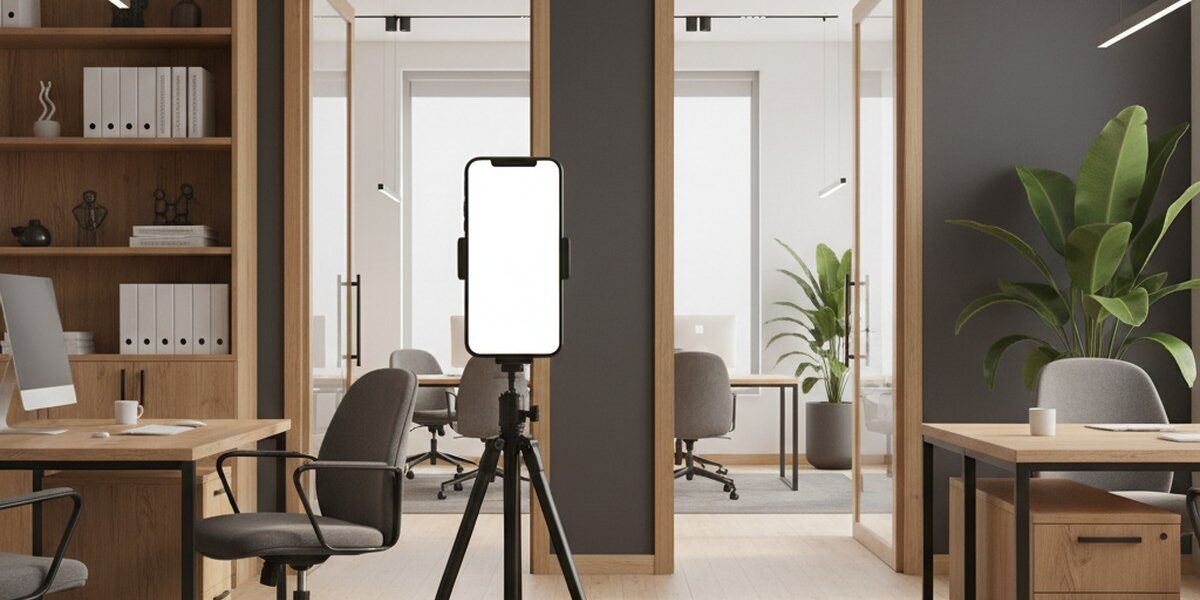
You will need a tripod or stand to capture with the Insta360 X5. The app’s split capture mode allows the operator to stay out of the frame (source). Measurements obtained with the X5 are approximate, so for accurate drawings we recommend using an iPhone with LiDAR or arranging a visit from a Pro3D operator.
Importing existing panoramas
Если у вас уже есть панорамы 360°, снятые любой другой камерой, их можно импортировать в приложение PRO3D Capture из галереи, «Файлов» или iCloud. Каждая панорама станет отдельным «видом», который затем можно вручную разместить на плане (source).
Preparing the space for capture
The quality of the final 3D tour depends largely on how well the space is prepared. Here are a few key points:
- Cleaning and tidying: Make sure the space is clean and free of unnecessary items that could distract viewers or interfere with scanning. Put away personal belongings, cables and rubbish.
- Lighting: Adequate, even lighting improves scan quality. Open the curtains and turn on all the lights. Avoid very bright direct sunlight, which can cause overexposure. Spaces with even lighting are suitable for capturing tours yourself (source).
- Doors and openings: Откройте все двери, которые должны быть видны в туре. Это поможет приложению корректно «сшить» пространства между комнатами.
- Mirrors and reflective surfaces: Mirrors can create misleading reflections and make scanning difficult. Temporarily cover them if possible. Pro3D Capture lets you mark mirrors manually on the floor plan (source).
- People and animals: Make sure no people or animals are in the frame. They will appear in the panoramas and may distort the geometry.
Planning the capture route and keeping scans connected
A well-planned capture route is key to creating a successful 3D tour. The PRO3D Capture app builds the floor plan as you capture, allowing you to monitor progress and adjust your route (source).
- Starting point: Start capturing in a central or easily recognisable part of the property, such as the entrance hall or living room.
- Even coverage: Move through the space from one scan position to the next, ensuring even coverage of all areas. The app will display a marker showing where to point your phone and collect depth data (source).
- Overlap: Каждый следующий скан должен частично перекрывать предыдущий. Это критически важно для «сшивки» панорам и построения точной геометрии. Приложение Pro3D Capture помогает в этом, рисуя план этажа во время съёмки (source).
- Movement: When capturing with a phone, keep it in the same position and turn on the spot, moving only your feet. The app takes photos automatically (source). When capturing with the Insta360 X5, move the tripod and camera from one capture point to the next (source).
- Areas needing extra attention: Pay particular attention to narrow corridors, corners and areas with a lot of furniture. These areas may require additional scans.
- Multiple floors: If the property has multiple floors, you can capture them within a single project in the app (source).
Why connected scans matter: Связность означает, что каждый скан должен иметь достаточно общих элементов с предыдущими и последующими сканами, чтобы программное обеспечение могло точно определить их взаимное положение. Если связность нарушена (например, вы пропустили большой участок или резко переместили телефон), это может привести к ошибкам в геометрии или невозможности «сшить» части тура.
Checking and uploading the data
Once you finish capturing in the PRO3D Capture app, you will see a preliminary floor plan. Check that all rooms are displayed correctly and that walls and openings are drawn accurately. If anything looks wrong, you may need to capture individual areas again.
Когда вы удовлетворены результатом, нажмите кнопку «Загрузить». Приложение передаст отснятые сканы на серверы Pro3D в России для обработки. Съёмку можно проводить без интернета, а отправку данных выполнить, когда появится сеть (source). The PRO3D Core engine processes the scans to create a 3D tour, an overhead dollhouse view, a floor plan with areas, and measurements (source). The tour is usually ready on the day of capture, and processing takes around two hours for apartments up to 200 м² (source).
The finished tour will be available via a link in your Pro3D account. You can use this link on websites, in property listings (for example, on CIAN), or share it with clients. Pro3D also lets you add interactive tags, links, descriptions, photos and videos to the tour, and export data in E57 or DWG format or as BIM resources (source).
Comparing tools for capturing tours yourself with Pro3D
| Feature | iPhone with LiDAR | iPhone without LiDAR / Android | Insta360 X5 (with iPhone) |
|---|---|---|---|
| Equipment | iPhone Pro/Pro Max with the PRO3D Capture app | Any iPhone / Android smartphone with the PRO3D Capture app | Insta360 X5 camera, iPhone with the PRO3D Capture app, tripod |
| Geometric accuracy | High, thanks to the LiDAR sensor. Recommended for precise measurements and drawings. | Moderate, based on photos. Measurements are approximate. | Approximate, based on panoramas. Suitable for listings and showcasing a space, but not for drawings. |
| Capture time (50 м²) | 20–30 minutes | 20–30 minutes | Faster than using a phone |
| Ease of use | Easy: the app guides you from point to point. | Easy: the app guides you from point to point. | Moderate: the camera needs to be mounted on a tripod and repositioned. |
| Result | 3D tour, dollhouse view, floor plan with area measurements, accurate measurements. | 3D tour, dollhouse view, floor plan with area measurements, approximate measurements. | 3D tour, dollhouse view, floor plan with area measurements, approximate measurements. |
| Suitable spaces | Small to medium-sized spaces where accuracy matters (apartments, showrooms). | Small to medium-sized spaces for visual presentation (apartments, offices). | Spaces where capture speed and panorama quality matter (apartments, offices). |
Questions and Answers
How can I ensure a high-quality tour if I capture it myself?
The key to a high-quality tour when capturing it yourself is to prepare the space carefully and follow the capture route guidelines. Make sure the space is tidy and well lit, with doors open. During capture, keep an eye on the floor plan being generated in the PRO3D Capture app and ensure that each scan partially overlaps the previous one so the scans connect properly. Using an iPhone with LiDAR also improves geometric accuracy.
What if I have a large property, for example, over 200 м²?
For properties over 200 м², spaces with challenging lighting, or tours that require branding, Pro3D recommends booking one of its operators with professional equipment (source). Although the PRO3D Capture app can capture properties of any size, professional capture can deliver higher quality for large spaces and reduce the time needed to produce the final result.
Can I edit the tour once it has been processed?
Once the PRO3D Core engine has processed your tour on Pro3D’s servers, it becomes available in your account. You can then add interactive tags, links, descriptions, photos and videos. This lets you enrich the virtual space with additional information and make it more useful for your needs.
How accurate are the measurements when I capture a space myself?
Measurement accuracy depends on the equipment used. Capturing with an iPhone equipped with a LiDAR sensor provides significantly higher geometric accuracy, producing measurements accurate enough for most purposes, including floor plans and property listings (source). When using an iPhone without LiDAR, an Android smartphone or an Insta360 X5 panoramic camera, measurements are approximate. They are sufficient for a general overview and presentation, but not for creating detailed drawings.
Capturing spaces yourself with Pro3D software opens up a wide range of possibilities for creating digital spaces. Your choice of device—a smartphone or panoramic camera—depends on your accuracy and speed requirements. The key is to prepare carefully and follow the capture route guidelines so the scans connect properly and produce a high-quality result.
For an initial estimate of the cost of creating a 3D tour, or to discuss your project details, you can use the calculator on the Pro3D website or send an enquiry with a description of your property.
Order a 3D tour for your property
Leave your contact — we'll respond within 30 minutes and calculate the cost