Виртуальный тур ЖК: как застройщики снижают нагрузку на отдел продаж

Virtual tour of residential complexes: how developers reduce the burden on the sales department

В современном рынке недвижимости застройщики постоянно ищут новые способы снижения нагрузки на отдел продаж и повышения эффективности продаж. Одним из наиболее перспективных решений в этой области является использование виртуальных туров для жилых комплексов (ЖК). Этот инновационный подход позволяет потенциальным покупателям просматривать объекты недвижимости в режиме реального времени, без необходимости физического присутствия на месте. В этой статье мы рассмотрим, как виртуальные туры могут помочь застройщикам оптимизировать процесс продаж и улучшить взаимодействие с клиентами. Преимущества виртуальных туров для ЖК Виртуальные туры предлагают целый ряд преимуществ для застройщиков и потенциальных покупателей. Во-первых, они позволяют клиентам получить более детальное представление об объекте недвижимости, включая планировку, дизайн и расположение помещений. Это помогает снизить количество ненужных просмотров и фокусироваться на действительно заинтересованных покупателях. Кроме того, виртуальные туры могут быть доступны 24/7, что делает процесс продаж более гибким и удобным для клиентов. Для застройщиков виртуальные туры также представляют собой эффективный инструмент для снижения нагрузки на отдел продаж. Поскольку потенциальные покупатели могут просматривать объекты недвижимости онлайн, сотрудники отдела продаж могут сосредоточиться на работе с наиболее перспективными клиентами, что повышает эффективность продаж и снижает расходы на маркетинг и рекламу. Как виртуальные туры работают Виртуальные туры создаются с помощью специального оборудования и программного обеспечения, которое позволяетcapturer и обработать трехмерные данные об объекте недвижимости. Полученная информация затем используется для создания интерактивного онлайн-тура, который можно просматривать на компьютере, смартфоне или планшете. Этот тур позволяет пользователям перемещаться по объекту недвижимости, просматривать различные помещения и получать дополнительную информацию об объекте. Одним из наиболее популярных технологий для создания виртуальных туров является Matterport. Эта технология позволяет создавать высококачественные 3D-модели объектов недвижимости, которые можно просматривать в режиме реального времени. Matterport также предлагает целый ряд инструментов и функций, которые помогают застройщикам и агентам по недвижимости оптимизировать процесс продаж и улучшить взаимодействие с клиентами. Практические советы для застройщиков Если вы застройщик, рассматривающий возможность использования виртуальных туров для своего ЖК, вот несколько практических советов, которые помогут вам начать: Определите цели и задачи использования виртуальных туров. Какую нагрузку на отдел продаж вы хотите снизить? Какие преимущества вы хотите получить для своих клиентов? Выберите подходящую технологию для создания виртуальных туров. Matterport является одним из наиболее популярных и эффективных решений на рынке. Разработайте стратегию интеграции виртуальных туров в ваш процесс продаж. Как вы будете использовать туры для привлечения потенциальных покупателей и снижения нагрузки на отдел продаж? Примеры успешного использования виртуальных туров Есть много примеров успешного использования виртуальных туров в сфере недвижимости. Например, некоторые застройщики сообщают о снижении нагрузки на отдел продаж на 30-40% после введения виртуальных туров. Другие застройщики отмечают повышение эффективности продаж и снижение расходов на маркетинг и рекламу. Одним из наиболее интересных примеров является использование виртуальных туров для продажи объектов недвижимости на стадии строительства. Это позволяет потенциальным покупателям просматривать объекты недвижимости до их окончательного строительства, что помогает снизить риски и неопределенности, связанные с покупкой недвижимости на стадии строительства. Выводы Виртуальные туры представляют собой перспективное решение для застройщиков, стремящихся снизить нагрузку на отдел продаж и повысить эффективность продаж. Используя технологии, такие как Matterport, застройщики могут создавать высококачественные 3D-модели объектов недвижимости, которые можно просматривать в режиме реального времени. Это помогает потенциальным покупателям получить более детальное представление об объекте недвижимости и снижает количество ненужных просмотров, что в конечном итоге приводит к повышению эффективности продаж и снижению расходов на маркетинг и рекламу. Смотреть все проекты → Если вы заинтересованы в том, чтобы узнать больше о виртуальных турах и их применении в сфере недвижимости, мы приглашаем вас посетить наш каталог проектов или рассчитать стоимость создания виртуального тура для вашего ЖК. Наша команда всегда готова помочь вам найти наиболее эффективное решение для ваших бизнес-целей. Рассчитать стоимостьКаталог проектовMatterport

Matterport для студии и малогабаритки: как показать пространство выгодно

Matterport for studios and small spaces: how to show space profitably

Home buyers and renters often face the challenge of estimating the size and layout of a space from photographs. This is especially true for studios and small apartments, where every square meter counts. To showcase a space to your advantage and give potential buyers or tenants a complete picture of the property, you can use Matterport technology. What is Matterport? Matterport is a 3D virtual tour technology that allows users to tour properties in real time. With Matterport, you can create a detailed and interactive model of a room, including everything from the layout to the texture of the walls and flooring. This technology is especially useful for studios and small apartments, as it allows potential buyers or renters to evaluate the size and layout of the space, and see how the available space can be used. Benefits of Matterport for Studios and Small Apartments There are several benefits to using Matterport for studios and small apartments: Increased engagement with potential buyers or tenants: 3D Virtual Tours allow users to explore a property in real time, increasing their engagement and interest in the property. Reduce viewings: Matterport allows potential buyers or renters to evaluate a property remotely, reducing viewings and saving time. Improved understanding of layout and dimensions: 3D virtual tours provide an accurate understanding of the layout and dimensions of a property, which helps potential buyers or tenants evaluate a property more accurately. How to Create a 3D Virtual Tour Using Matterport Creating a 3D virtual tour using Matterport is a relatively simple process. To do this, you need to: Gather the necessary equipment: To create a 3D virtual tour, you need special equipment, such as a Matterport Pro or Pro2 camera. Take photos and scan the space: The Matterport camera takes photos and scans the space, creating a detailed and accurate model of the room. Process and mount data: The received data is processed and edited in Matterport software, creating a 3D virtual tour. Tips for Creating an Effective 3D Virtual Tour To create an effective 3D virtual tour, you need to follow beberapa's tips: Make sure the property is clean and ready to shoot: Make sure the property is clean and ready to shoot to get the best results. Use good lighting: Good lighting can greatly improve the quality of your 3D virtual tour. Take multiple photos from different angles: Take multiple photos from different angles to give potential buyers or renters a complete picture of the property. Examples of successful use of Matterport Matterport is already used by many companies and individuals to display properties. For example, 360° Space has created 3D virtual tours for many properties, including studios and small apartments. See all projects → If you are interested in creating a 3D virtual tour for your property, we recommend that you contact a professional. Our company offers services for creating 3D virtual tours using Matterport. Check out our projects and contact us to find out more about our services. Calculate costProject catalogMatterport

виртуальный тур по самолёту — 360space.ru

Virtual tour of the aircraft and aircraft: aviation 3D inspection

Aircraft and Aircraft Virtual Tour: Aviation 3D Inspection In Brief: Aircraft Virtual Tour is a powerful tool for airlines, manufacturers and training centers. It allows you to view the interior and exterior of an aircraft in detail in 3D, increasing interactivity and accessibility of information. For example, a large helicopter manufacturer in Russia used our tour to demonstrate a new model at an international exhibition. A virtual aircraft tour opens up new horizons for showcasing aircraft, be it a commercial airliner, private jet, cargo aircraft or helicopter. At 360° Space, we create tours that allow you to literally walk through the cabin, look into the cockpit, or look at the design details without leaving your home or office. These are not just pretty pictures, but a functional tool that solves specific business problems. Why do you need a 3D aircraft tour? The use of virtual tours in aviation is much wider than it seems at first glance. We see our customers using them for a variety of purposes: Accelerating sales and leases: Potential buyers or lessees can view the aircraft in detail prior to a physical inspection. This reduces the number of empty impressions and increases conversions. One of our clients, a business jet broker, noted a 30% increase in the number of qualified inquiries after introducing 3D tours on their website. Effective Training and Drilling: Aviation training centers use tours to familiarize pilots and flight attendants with the aircraft layout and the location of emergency equipment. This is especially true for new types of aircraft or when conducting briefings without access to the actual aircraft. Attracting customers at exhibitions and shows: At air shows, where every square meter of space is expensive and the number of visitors is huge, a virtual tour allows you to show as much detail as possible, even if access to the real aircraft is limited. We were doing a tour for a business jet manufacturer who was using it at a booth to allow visitors to “visit” an aircraft that was not physically on display. Marketing and PR: Airlines can use tours to showcase their cabins in different classes of service, attracting passengers. This is a great way to show the level of comfort and service. Documenting the condition of the aircraft: For maintenance or insurance companies, a 3D tour can serve as a detailed record of the condition of the interior and exterior of the aircraft at a specific point in time. How it works: the filming process, timing, result The process of creating a virtual tour of an aircraft requires a special approach, because you have to work in a limited space and with a valuable object. Our 360° Space team has experience in such filming. First, we discuss with the client the goals and objectives of the tour: what exactly needs to be shown, what interactive elements to add (information labels about the characteristics of the seats, the location of emergency exits, multimedia screens). Then we plan the shooting. For aircraft, this is always an individual schedule so as not to interfere with operation or maintenance. The survey itself takes from a few hours to a full day, depending on the size of the aircraft and the number of points. For example, 2-3 hours is enough for a small business jet, but 6-8 hours may be required for a wide-body passenger airliner. We use professional equipment, including Matterport cameras, which allows us to obtain highly detailed 3D models and panoramic images. After shooting, the data processing stage begins. This includes stitching panoramas, creating a 3D model, adding interactive elements (video, photos, text, links). The entire process, from filming to the finished tour, usually takes from 3 to 7 business days. The result is a full-fledged virtual tour, available online, which can be embedded on any website or used offline. Flexibility in placement is one of our advantages. You can host the tour in the 360° Space cloud, which guarantees high loading speeds and technical support. If you have your own servers, we can deploy the tour on your infrastructure. And for exhibitions or offline work, we make an offline version that runs on a PC without the Internet, or even a separate assembly for a VR headset. View all projects → How much does a virtual plane tour cost? The cost of a virtual aircraft tour is determined by several factors: the size of the aircraft, the number of filming points required, the complexity of the interior, and the amount of interactive elements that need to be added. Obviously, filming a small helicopter will cost significantly less than filming the interior of a Boeing 747. Our prices start at RUB 15,000 for small objects. For larger and more complex projects, such as passenger airliners or entire hangars with several aircraft, the cost will be higher and calculated individually. For example, filming the interior of a business jet usually costs in the range of 30,000 – 60,000 rubles, depending on the detail and additional options. We always recommend contacting us for an accurate quote as each project is unique. You can use our online calculator on the website to get an estimated cost, or just call us and we will prepare a detailed quote. Frequently asked questions Q: Is it possible to remove only the cockpit? A: Yes, of course. We can focus on capturing specific areas of the aircraft, such as just the cockpit or just the first class cabin. This will help optimize cost and timing. Q: How quickly will the tour be ready after filming? A: Typically, the process from shooting to the finished tour takes 3 to 7 business days, depending on the complexity and amount of post-production. For urgent projects, expedited processing is possible by agreement. Q: Do I need internet access to view the tour? A: The main version of the tour, hosted in the 360° Space cloud or on your server, requires access to the Internet. However, we can also prepare an offline version that works without a network connection, for example, for demonstration at exhibitions or presentations from a laptop. Calculate costProject catalogMatterport

3D-тур для загородного дома: что важно показать покупателю

3D tour for a country house: what is important to show the buyer

When selling or renting a vacation home, it is important to give potential buyers or tenants the opportunity to inspect the property in detail, even if they are in another city or country. This is where a 3D tour comes in to create an immersive and interactive property viewing experience. In this article we will tell you what is important to show the buyer in a 3D tour for a country house. Exterior and territory The exterior and territory of a country house play a significant role in forming the first impression among potential buyers. In a 3D tour, it is important to show the facade of the house, garden, pool, terrace and other elements that make the property attractive. It is also worth paying attention to the paths and paths that lead to the house, as well as the availability of parking spaces. Using a 3D tour, you can show what a house and its grounds look like at different times of the day and in different weather conditions. This allows buyers to get a better understanding of the property and its potential. Interior and layout The interior and layout of a country house are also important for potential buyers. The 3D tour should show the layout of each floor, including the number of rooms, their sizes and location. It is also important to show the quality of finishes, types of flooring and the presence of lighting fixtures. Using a 3D tour, you can create a virtual tour of your home that allows buyers to explore every corner and get an idea of ​​how they can use the space. Features and benefits Each country house has its own features and advantages that may be important to potential buyers. A 3D tour should show features such as a fireplace, sauna, swimming pool or home theater. It is also important to show benefits such as proximity to nature, panoramic views or peace and quiet. With the help of a 3D tour, you can highlight these features and advantages, making the property more attractive and unique. Opportunities for recreation and entertainment A country house is often used for recreation and entertainment, so a 3D tour should show the opportunities for these activities. These could be sports fields, playgrounds, barbecue areas or ponds. It is also important to show proximity to natural features such as forests, rivers or lakes. Using a 3D tour, you can show how the area and facilities can be used for recreation and entertainment, making buyers more interested in the property. Technical characteristics and condition Technical characteristics and condition of a country house are also important for potential buyers. A 3D tour should show characteristics such as the materials used in construction, the types of windows and doors, and the condition of the roof and foundation. A 3D tour can show that a property is in good condition and that it has been well maintained, which can increase buyers' trust in the seller. See all projects → If you want to create a 3D tour for your country house, we are ready to help you. Our company has experience in creating high-quality 3D tours that can help sell or rent your property faster and on better terms. Check out our services and contact us to discuss the details of your project. Calculate costProject catalogMatterport

3D-тур для церкви — 360space.ru

3D tour for a church and an Orthodox temple: digital preservation of architecture

3D tour for churches and Orthodox temples: digital preservation of architecture In short: Creating a 3D tour for churches is not just a tribute to fashion, but an effective tool for preserving cultural heritage and expanding the audience. At 360° Space we digitize architectural masterpieces, making them available to millions, such as our project for the temple in Murom. Temples virtual tour is an opportunity not only to preserve the architectural and cultural heritage for future generations, but also to open it to a wide audience around the world. At 360° Space we see how such projects help churches and Orthodox temples become more accessible, attracting not only believers, but also everyone interested in history, architecture and art. This is an important step in the digitalization of cultural property. Our team regularly works with cultural heritage sites. We know how to delicately approach such filming, taking into account all the features and requirements. Why do you need a 3D tour for a church or museum? A 3D tour for a temple or museum is a powerful tool with many benefits that go beyond just “beautiful.” Here are a few key benefits that have been proven in our experience: Increased audience and accessibility. A virtual tour allows anyone to visit a temple or museum, regardless of their location and physical capabilities. For example, for temples located in hard-to-reach places, this is the only way to show them to the world. We were doing a project for a monastery in the mountains, where it is difficult for pilgrims to reach, and the 3D tour became a real salvation for them. Attracting donations and funding. The interactive tour may include buttons for donations or information about restoration work. This increases transparency and encourages assistance. We've found that properties with a quality 3D tour receive 15-20% more donations through online channels because people can see what they're investing in. Preservation and documentation. 3D scanning creates an exact digital copy of an object, recording its condition at a specific moment. This is invaluable for restoration, research and in case of unforeseen circumstances. Imagine how important this is for ancient frescoes or unique iconostases. Educational potential. The virtual tour can be supplemented with information points (Hotspots) with historical information, descriptions of icons, and architectural elements. This turns ordinary viewing into an exciting educational journey. Schoolchildren and students can study the history of the temple directly from lessons. Tourist attraction. For many regions, temples are key tourist attractions. A 3D tour on the website of a tourist office or city can significantly increase interest and attract real tourists. One of our clients from Kazan, the owner of a small museum, noted a 10% increase in traffic after publishing a 3D tour on a regional tourism portal. How it works: the shooting process, timing, result The process of creating a 3D tour for a temple or museum requires a special approach that takes into account the specifics of the object. We at 360° Space have developed a clear algorithm: Consultation and planning. First, we discuss your goals, features of the temple (size, lighting, presence of frescoes, icons), as well as the desired functionality of the tour (hot spots, audio guide, menu). It is important to understand what exactly you want to show and for whom. Visiting the site and filming. Our team arrives on site with professional equipment. Shooting 360° panoramas inside a temple is always a challenge. We use special cameras that allow us to obtain high-quality images even in difficult lighting conditions, which are typical for most temples. When photographing a temple with an area of ​​about 300-500 m² with one nave, the scanning process itself takes 1-2 days. If it is a large cathedral with several chapels, it may take up to 5 days. Post-processing and assembly of the tour. After shooting, painstaking work begins on image processing, stitching panoramas, and creating navigation links between them. We add interactive elements: information windows, videos, photo galleries, audio guides. At this stage, we can also introduce 3D models of individual objects, such as antique utensils or icons, so that they can be viewed from all sides. Testing and delivery of the project. The finished tour undergoes thorough testing on various devices and browsers to make sure it works flawlessly. After your approval, we transfer all files to you or host the tour on our servers. The result is a fully interactive, high-quality 3D tour that can be embedded on your website, used on social media, or even shown at trade shows. We once did an offline version of a tour of the monastery for the exhibition “Orthodox Rus'”, so that visitors could “walk” around it without the Internet. See all projects → How much does a 3D tour for a temple or museum cost? The cost of a 3D tour for a temple or museum depends on several factors: the size of the object, the number of panoramic points, the complexity of the lighting, the need to add additional interactive elements (audio guide, pop-ups, 3D models), as well as the chosen method of placing the tour. For example, a basic 3D tour of a small temple (up to 100 m² and 10-15 points) can cost from 25,000 rubles. For large cathedrals, monastery complexes or multi-story museums, the cost will, of course, be higher. The price can reach 150,000 rubles or more if we are talking about several thousand square meters and hundreds of panoramic points with detailed elaboration and integration of complex functions. The price is also affected by the need to create 3D models of individual exhibits. We offer flexible options for storage and delivery of the tour: Cloud 360° Space: these are our high-speed servers with technical support, which ensures stable operation of the tour at any time. Customer server: if you have your own infrastructure, we can deploy the tour on your server. Offline version: offline build for PC or VR headset that works without the Internet. This is convenient for exhibitions or presentations. To get an accurate cost estimate, we recommend using our online calculator or contacting us directly. We are always ready to discuss your project and offer the optimal solution based on your goals and budget. Frequently asked questions Q: Can I add an audio guide to the 3D temple tour? A: Yes, of course! We can integrate an audio guide that will automatically play when you go to certain points or click on special icons. This greatly enriches the tour experience by providing visitors with historical and spiritual information. Q: How long does it take to create a 3D tour for an average-sized temple? A: For a medium-sized temple (for example, 200-300 m² with one or two naves), the filming process itself usually takes 1-2 days. Further post-processing and assembly of the tour takes from 1 to 3 weeks, depending on the complexity of the project and the number of interactive elements. We always try to work as quickly as possible, without sacrificing quality. Q: What should I do if there is poor lighting in the temple? A: Poor lighting is a common problem in ancient churches, but for us this is not a problem. We use specialized photography equipment and multiple exposure techniques to produce detailed, well-lit panoramas even in low light conditions. Our specialists are able to work with contrasting scenes, while maintaining the atmosphere and interior details. Calculate costProject catalogMatterport

Как 3D-тур увеличивает количество просмотров объекта недвижимости

How a 3D tour increases the number of views of a property

In today's world, technology plays a huge role in various fields, including real estate. One of the most promising and effective tools for demonstrating real estate is a 3D tour. This innovative approach allows potential buyers or renters to view properties in real time without leaving their home. In this article, we'll look at how a 3D tour can increase the number of viewings of a property and improve the overall experience with potential clients. Benefits of 3D Tours 3D tours offer a number of benefits over traditional photography and videos. They provide a more detailed and realistic view of the property, including the layout, room sizes and overall ambiance. This is especially important for remote buyers or those who are unable to physically visit the property. With 3D tours, they can get a complete understanding of the property, which can significantly increase their interest and likelihood of making a purchase. Increasing the number of views Using 3D tours can significantly increase the number of views of a property. According to various studies, properties presented with 3D tours attract on average 50% more views than properties presented only with photographs. This is because 3D tours offer a more interactive and immersive experience that keeps potential buyers engaged with the property for a longer period. In addition, 3D tours can be easily integrated into online real estate platforms, social media and agent websites, making them accessible to a wider audience. This can lead to more showings and, as a result, more potential buyers interested in the property. Increased Engagement 3D tours not only increase views, but also increase engagement from potential buyers. When people can interactively explore a property, they are more likely to remember the details and features of the property, which can lead to a more informed purchasing decision. Additionally, 3D tours allow potential buyers to share properties with friends and family, which can further increase interest in the property. Benefits for Agents and Developers 3D tours also offer significant benefits for agents and developers. They can use these tours to showcase their properties to their best advantage, highlighting their best features and details. This can help agents and developers stand out in the market by offering a more innovative and attractive way to showcase properties. Additionally, 3D tours can be used to reduce unnecessary viewings as potential buyers can get a more realistic view of the property before physically visiting. Practical Tips If you're considering using 3D tours to showcase properties, here are some practical tips to consider: Select high-quality 3D tour technology that can provide a detailed and realistic view of the property. Make sure the 3D tour is easily accessible and can be viewed on a variety of devices, including smartphones and tablets. Use 3D tours in combination with other marketing tools such as social media and email to maximize your exposure to potential buyers. See all projects → If you're looking for an effective way to increase the number of property viewings and improve the overall experience with potential clients, consider using 3D tours. With their help, you can offer a more interactive and immersive experience that can significantly increase interest in your properties. Don't miss the opportunity to leave your competitors behind and start using 3D tours today! Calculate costProject catalogMatterport

3д маппинг — 360space.ru

3D mapping of buildings and territories: laser scanning for precise measurements

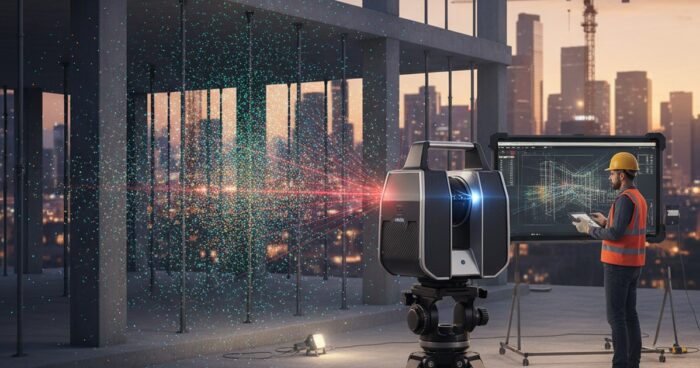
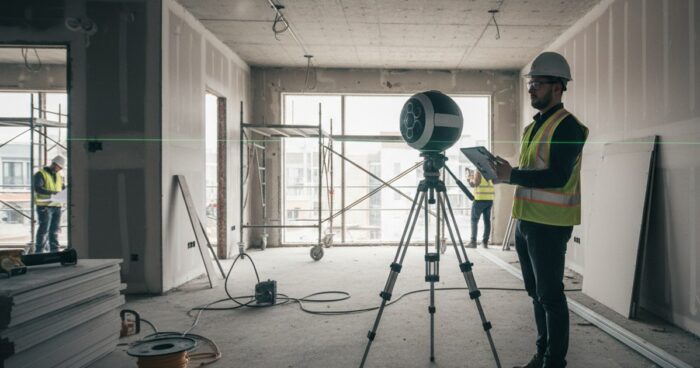
3D mapping of buildings and territories: laser scanning for precise measurements Briefly: 3D mapping is the creation of an exact digital copy of an object using a laser scanner and a depth camera. The measurement error in the finished model is kept within 1–2 cm at a distance of up to 10 meters, which covers 90% of the tasks of reconstruction, design and area accounting. The guide will be useful to designers, architects, restorers, commercial property managers and anyone who needs accurate measurements without a week-long visit by a measurer with a tape measure. Let's take a step-by-step look at how we shoot objects in 360° Space - from preparing the site to issuing a point cloud and a walk-through tour. We’ll show you where 3D mapping really saves money, and where it’s better to choose a classic tacheometer. Step 1. Define the task and select equipment The first thing we ask the client is: what will you do with the model? Measurements for redevelopment, linking engineering systems, inventory, restoration project - each task has its own set of equipment and its own shooting density. For interiors up to 3000 m², we most often take Matterport Pro3 - it is a combination of lidar and panoramic camera. It provides a ready-made point cloud with an accuracy of about ±1 cm and at the same time a virtual tour, which the customer walks through in a browser. For facades, industrial sites and territories, we connect stationary scanners such as Leica BLK360 or FARO - we are already talking about millimeter accuracy and distances of up to 60 meters. A client from Kazan ordered mapping of a 4200 m² workshop with metal structures - they took a combination of Pro3 and BLK360, because they needed both precise beams for a crane beam and a tour for contractors. Step 2. Preparing the subject for shooting Preparation is half the battle. The laser sees everything: a bucket of water in the middle of the corridor, a stepladder, cables on the floor. All this will end up in the model and then you will have to clean it by hand. The day before departure, we send the client a checklist: open all doors, turn on the lights in all rooms, remove people and animals from the frame, close the mirrors (otherwise the scanner will get confused by reflections), check that there is no active construction work with dust. We mark glass partitions with masking tape - otherwise the lidar does not see them and “stitches” two rooms into one. When shooting a 600 m² restaurant in Moscow, we were asked to shoot at night, after closing - so we did, scanning took 4 hours instead of the expected six during the day with visitors. Step 3. Conduct scanning A survey point is placed every 2–2.5 meters in the interior and every 5–8 meters in the open area. One point is taken for 20–40 seconds - the scanner makes a 360° panorama and simultaneously measures the distance to all surfaces around. The average apartment of 80 m² is 25–30 points, work for 1.5 hours. Two-story house 300 m² - 90–120 points, 4–5 hours. An industrial building of 5000 m² is already a full day of filming with an assistant. We always shoot with a reserve: an extra 10–15 points in narrow places and on stairs saves us from “holes” in the cloud, which then cannot be sealed with anything. Step 4. Process the data and assemble the model After shooting, the data goes into cloud processing - stitching point clouds, constructing a polygonal mesh, generating a floor plan with automatic dimensions. For Matterport this takes 4-24 hours depending on the size of the property. For stationary scanners, processing is manual, longer - up to 3-5 working days. At the output, the client receives: a point cloud in E57, XYZ, PTS formats for loading into Revit, ArchiCAD, AutoCAD; floor plan in PDF and DWG with dimensions; and the virtual tour itself with a ruler tool - the customer himself can measure any distance directly in the browser. See all projects → Step 5. Select the format for posting the tour The model is there, the tour is assembled - where to store it? We have three options, and the choice depends on who and how often you will show it to. Cloud 360° Space - high-speed servers with technical support, suitable for most tasks: a link can be inserted into a website, sent in a messenger, embedded in CRM. Customer server - if the company has strict data requirements (government orders, sensitive facilities, banks), the tour is deployed on the client’s own infrastructure. Offline version - standalone build for PC or a separate build for the Oculus/Pico VR headset, works without the Internet. The latter option is often ordered for exhibitions and presentations: recently we assembled an offline build for a developer’s stand at a real estate forum in Sochi - the Internet there was down every 20 minutes, and the tour ran smoothly all day. Step 6. We check the accuracy and transfer the project. Before delivery, we take control measurements with a tape measure at 5–10 points and compare them with the model. A discrepancy of more than 2 cm at 10 meters is a reason to rescan the problem area. As a result, the customer receives a report with a real error for the object, and not a theoretical figure from the manufacturer’s brochure. Next is training: a 30-minute call, we show how to use a ruler, how to take screenshots with dimensions, how to upload a plan. We separately explain to designers how to import a point cloud into their CAD system without losing scale. Typical mistakes in 3D mapping Too sparse grid of shooting points. Saving 2 hours on shooting turns into “holes” in the cloud, which then cannot be filled without a second trip. Ignoring mirrors and glass. Lidar is reflected from mirror surfaces and creates phantom rooms. Always tape or remove mirrors before scanning. Shooting in low light. Even the lidar needs light for the panoramic camera - otherwise the tour will turn out dark and “noisy”, although the measurements will be correct. Lack of control measurements. The declared accuracy of a device and the actual accuracy on site are two different things. Without reconciliation with a tape measure, you do not know what you are giving to the client. Frequently asked questions What is the real accuracy of 3D mapping? For Matterport Pro3 - ±1–2 cm at a distance of up to 10 meters. For stationary Leica and FARO scanners - up to ±3 mm. Accuracy drops at long distances and when shooting through glass. How much does it cost to photograph an object? The cost depends on the area, the complexity of the geometry and the required delivery formats. We calculate the exact figure using a calculator or according to technical specifications - from an area of ​​100 m² in an apartment to industrial facilities of tens of thousands of meters. Can I use the model in Revit or AutoCAD? Yes, we send the point cloud in E57, XYZ, PTS - these formats are read by all major CAD systems. We also prepare floor plans in DWG with dimensions. Calculate costProject catalogMatterport

3D mapping 2026 — 360space.ru

3D mapping: what is it, how does it work and who needs it in 2026

3D mapping is the transfer of a real room into an interactive three-dimensional model, which the visitor walks through in a browser, on a smartphone or in a VR headset. Over the past two years, the technology has left the “expensive toy” category and become a working marketing tool: it is ordered by developers, museums, restaurants, dentists, and private schools. At 360° Space we shoot on average 40 objects per month throughout Russia - from Kaliningrad to Vladivostok. Below we will analyze the principle of operation, timing, real cost and who such a tour really pays off for. Briefly: 3D mapping is a digital copy of a room, shot with a laser camera and assembled into a clickable tour. It opens via a link in a couple of seconds, works on any device and, on average, increases website conversion by 25–40%. Filming a room up to 500 m² takes 4–6 hours, a finished tour takes 3–5 working days. Why does a business need a 3D tour Clients come to us with one of four requests: sell, show, train or document. This is what 3D mapping gives in the numbers collected from our cases for 2024–2025. Increase in applications by 25–40%. For a developer from Yekaterinburg, after the publication of apartment tours, applications from the website increased by 34% in a quarter - people weed out unsuitable layouts, and come to view much more warmly. Saving 6–8 hours per week on managers. A 600 m² restaurant in Kazan has stopped taking corporate customers around the hall - everyone watches the tour, selects a zone and makes a reservation using a link. Reduced returns and claims. A wedding dress salon in Nizhny Novgorod sends a tour to clients from the region - they come with a ready-made list of models, the fitting time has been halved. Accurate measurements in one go. The tour contains dimensions with an error of 1–2 cm, so repair and furniture contractors work without a second visit - saving up to 15,000 rubles per site. Documentation for insurance and Ministry of Emergency Situations. One customer, a production facility in the Moscow region, rented a warehouse after reconstruction in order to record the condition of the equipment and the layout of emergency exits. How it works Technically, 3D mapping is a combination of laser scanning and panoramic photography. The camera (we work with Matterport Pro3, Insta360 Pro and BLK360) is placed on a tripod, takes a 360° panorama in one cycle and simultaneously measures distances to all surfaces. The operator moves the camera every 1.5–2 meters so that neighboring points overlap - otherwise the algorithm does not stitch the point cloud together. Average time frame for our projects: Apartment 60 m² - 1.5 hours of shooting, tour in 2 days. Restaurant 300 m² - 3–4 hours, tour after 3 days. Hotel with 40 rooms - 2 check-out days, finished project in 5-7 days. Industrial workshop 2,000 m² - 3 days of shooting, up to two weeks for post-processing. After shooting, the data goes into cloud processing, where a polygonal model, a dollhouse view (a dollhouse - section from above), a floor diagram and the tour itself with navigation points are formed. Next we add tags: descriptions, videos, links to price lists, booking buttons. At the final stage, we choose a hosting format—we have three of them: 360° Space cloud with technical support, deployment on the customer’s server, or a standalone offline version for PCs and VR headsets. The latter option is often requested for exhibitions - in May we were asked to do an offline assembly for a stand at the Expo Center, the tour worked from a flash drive without the Internet for three days in a row. Ready-made examples are below, all tours are clickable. See all projects → How much does it cost? The price is made up of three components: area, complexity of the object and delivery format. Guidelines for our tariffs for 2026: Apartment or office up to 100 m² - from 15,000 ₽. Restaurant, showroom, clinic 200–500 m² - from 35,000 ₽. Hotel, production, museum from 1,000 m² - according to individual calculation, usually from 90,000 ₽. Offline assembly for a VR headset or exhibition - plus 20–40% to the base cost. Compared to foreign services, our rates are cheaper - especially over a long distance, because we do not charge a fixed monthly fee for placement, but provide three flexible formats to choose from. It is convenient to calculate the exact figure for your property in the calculator - it takes into account the area, number of floors and whether travel to the region is required. The question we hear most often is: “Won’t the tour become obsolete in a year?” The model is stored in any of the three formats as long as needed - updating is required only if you repainted the walls or rearranged the furniture. One client, a chain of barbershops in St. Petersburg, had a tour filmed in 2022 and is still bringing in requests. Frequently asked questions How is 3D mapping different from regular 360° panoramas? A panorama is a flat spherical photograph taken from one point. 3D mapping adds laser measurements and links dozens of points into a walkable model with dimensions, dollhouse view and floor plan. You can’t measure a wall using a panorama, but you can measure a wall using a 3D tour with an error of 1–2 cm. Do you need to prepare the room for shooting? Minimum: remove unnecessary things, turn on all the lights, cover personal documents and price tags if we are renting a store. People are not included in the frame - the camera shoots a circular panorama, while the operator moves away. From experience, preparation takes 20–40 minutes. Where will the finished tour be stored? There are three formats to choose from: the 360° Space cloud with technical support and fast servers, your own server (we transmit the assembly and instructions) or an offline version for PC and VR headset without the Internet. The format can be changed later - the data remains with you. Calculate costProject catalogMatterport

виртуальный тур по автомобилям — 360space.ru

3D tour of a car and a car dealership: online display of equipment from all sides

Briefly: A virtual car tour is an interactive 3D copy of the showroom and equipment, which the client opens from a phone or PC. Filming a showroom for 25 cars takes 4–6 hours, and the finished tour is built into the website in 3–7 working days. A virtual tour of cars solves the main task of the dealer: to show the equipment before the client visits the showroom. The buyer goes to the model’s page and, instead of three studio photos, walks around the car, looks into the trunk, and gets behind the wheel. We at 360° Space have been filming such tours since 2019 - from single car cards to full showrooms for 40+ cars, including dealers of premium brands and truck showrooms. Let's figure out why a business needs this, how the shooting goes and how much the project costs. Why does a car dealership need a 3D tour? We calculate the benefits based on the numbers of our clients: More applications from the site. A dealer of a premium brand in Moscow, after connecting the tour, received +34% of requests from model cards for the quarter. Average time on page increased from 40 seconds to 3.5 minutes. Sales in other cities. A truck showroom in Novosibirsk completed two transactions with buyers from Krasnoyarsk - they came to sign the contract without prior inspection. The tour replaced the visit. Unloading managers. The client comes prepared: he knows where the buttons are located, what the upholstery is, what the trunk looks like. The conversation is about price and equipment, and not about a basic overview. Work 24/7. The tour opens at night and on weekends. A car dealership in Kazan records up to 40% of views outside business hours - this is additional revenue without staff. Content for months ahead. Screenshots, short videos of the flight, links to the Telegram channel and advertisements - from one shoot we get material for social networks for the quarter. A small detail: leasing companies also love the tour. They ask the dealer for a link to show the car to the beneficiary abroad - instead of a manager's business trip. How the shooting goes and what the salon receives The process is laid out in four steps. The first is coordination. We discuss what we are filming: only cars, the entire showroom with reception and service areas, or the exterior plus the full interior of each model. Both operating time and price depend on this. The second is filming. We arrive with a Matterport Pro3 camera (or Insta360 for individual car cards). We rent a showroom for 25 cars under one roof in 4–6 hours. A separate car with interior penetration - 40–60 minutes. We work before opening or after closing: the camera doesn’t like people in motion, they appear in the frame as blurry stripes. The third is processing. We collect panoramas into a stitched tour, mark transition points, add tags with VIN, price and equipment. Clicking on a car on the tour leads to the model’s card on the website - the application goes to the manager. The fourth is placement. We deliver the finished tour in one of three formats: 360° Space cloud (high-speed servers with technical support), dealer server (deployed on the client’s infrastructure if required by the security service), or offline assembly for a tablet in the showroom and VR headsets at exhibitions. An electric car dealership from St. Petersburg specifically asked for an offline version - they took it to a car show in Crocus, and they found internet there every once in a while. From approval to the finished tour - 3-7 working days, depending on the scale and complexity of the marking. See all projects → How much does a virtual tour of cars cost? The price depends on the area of ​​the showroom and the number of cars in the frame. Separate card for one car - from 8,000 ₽. Full showroom of a small dealer (up to 15 cars, 300–400 m²) - from 35,000 ₽. Large showroom for 40+ cars with a service area - from 90,000 ₽. Offline assembly for an exhibition or VR headset is considered separately, usually + 15–25% to the base shooting. It’s more convenient to calculate the exact figure for your salon in a calculator: indicate the area, type of object, whether an offline format is needed - you get a preliminary estimate in a minute. And if the equipment in the showroom changes, there is no need to re-shoot everything again. A dealer from Yekaterinburg updates the tour every 2 months: we come, we shoot new positions, we remove old ones. It costs significantly less than a complete reshoot. Frequently asked questions Do I need to close the salon during the shoot? Preferably. The camera shoots panoramas for 20–30 seconds, moving people are blurred. We usually work before opening (from 7 am) or after closing. If it is impossible to close, we remove the zones one by one and fence off the sections with tape. Does the tour work on your phone? Yes, it opens in any browser on a smartphone, tablet and PC. No separate application needed. VR headset – optional, for exhibitions and premium presentations. What if new cars arrived at the showroom - should I shoot again? Not necessarily. Spot additional shooting is cheaper than a complete reshoot: we come, shoot new positions, update the tour in 1-2 days. Calculate costProject catalogMatterport